About this app
The weather app that lives in your menu bar. Forecast Bar puts hyper-accurate weather one glance away. Three independent data sources — The Weather Company, Apple Weather, and the NWS — combine for the best possible accuracy. The temperature, conditions, or any data point you care about sits quietly in your menu bar, and a single click opens a rich, animated forecast with an hourly timeline, 15-day outlook, radar, alerts, and AI-powered weather stories. MENU BAR WEATHER, REIMAGINED Seven display styles, up to five independent items per screen, each showing a different data point — temperature, feels-like, humidity, wind, UV, precipitation chance, and more. Live updates every refresh, adjustable sizing, and per-screen height memory so nothing jumps when you switch monitors. THE FORECAST POPOVER One click opens a richly detailed, scrollable forecast: current conditions with a "next hour" precipitation narrative, an animated 48-hour timeline, a tappable 15-day outlook, full NWS severe weather alerts, an inline mini radar, and expandable detail screens for every metric — temperature, wind, UV, pollen, AQI, pressure, sun, and moon. TEAR-AWAY PANEL Drag the popover off the menu bar and it becomes its own window — complete with title bar and close button — that you can park anywhere on your desktop. Perfect for severe weather days, second-monitor setups, or keeping an eye on the hourly timeline while you work. Drag back to snap home, or press Escape to redock. SMART WEATHER STORIES (Pro) AI-powered daily briefings written just for you. Choose a tone — Just the Facts, Friendly Narrative, or a custom prompt — and Forecast Bar surfaces what actually matters: "Grab a jacket for the 3pm meeting — a cold front arrives at 2." Optionally factors in your calendar and refreshes throughout the day. FULL-FEATURED RADAR A standalone radar window with live precipitation worldwide, future radar, precipitation type, satellite, live lightning, 24-hour totals, temperature and wind maps, UV index, driving conditions, and aurora forecast. NWS warnings draw directly on the map, and critical alerts can break through Do Not Disturb. NOTIFICATIONS THAT ACTUALLY HELP NWS alerts the moment they're issued for every US location you save. Pro adds precipitation nowcasts, custom alerts on any data point, morning and evening reports, sunset and earthquake alerts, aurora alerts, and celestial events — all with quiet hours and granular controls. AND MORE • Global keyboard shortcuts — fully customizable, system-wide (Pro) • Unlimited saved locations with worldwide search and Follow Me mode • Multiple themes with dynamic backgrounds and full Dark Mode support • iCloud sync across all your Apple devices • Fully native for macOS Forecast Bar offers two subscriptions: Plus for the full weather experience, and Pro for everything in Plus plus Smart Weather Stories AI, extended radar layers, custom notifications, keyboard shortcuts, and more. --- All subscriptions to Forecast Bar include a free 7 day trial. Subscriptions will be charged to your iTunes account at confirmation of purchase. They will automatically renew at the end of your subscription period unless canceled at least 24 hours prior to the end of the current period. Your account will be charged for renewal within 24 hours prior to the end of the current period. You can manage your subscriptions or turn off auto-renewal at any time from your iTunes account settings. Cancellation of the current active subscription period is not allowed. Our privacy policy and terms of use are here: http://forecastbar.com/privacy-policy-for-forecast-bar.pdf and https://www.apple.com/legal/internet-services/itunes/dev/stdeula/
Latest release
What’s New
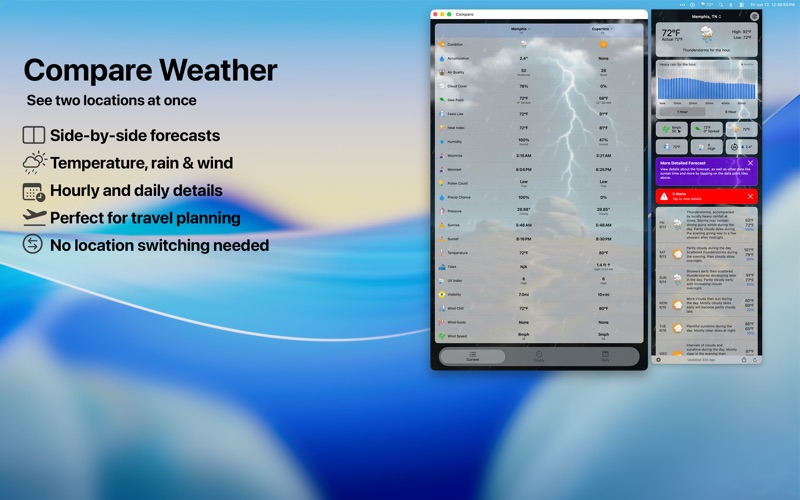
Visualize Day • Your whole day plays out in its own window — the sky, sun, stars, clouds and rain follow the forecast hour by hour, then loop. Open it from the panel footer, the menu bar icon's right-click menu, or View › Visualize Day. • It starts at the current hour and runs a full day forward, so you're watching the weather ahead of you rather than replaying the morning. • Share the day you just watched as a video, ready to send or post. • Put a condition icon beside the temperature in Settings › Data & Layout › Visualize Day. Request a City Pack • Request a City now files a real request instead of opening an email. The city you're already viewing is one click; any other city is one field. • Follow it in the pack list as it moves from Requested, to in the queue, to being created, to ready to download — and get a notification the moment it's ready. • Packs you asked for are marked with a star. Right-click a request to cancel it or clear it from the list — there was previously no way to withdraw a request on the Mac at all. • Ask for somewhere an existing pack already covers and you get that pack right away instead of a wait. A more realistic sky • The sun follows your location's real sunrise and sunset instead of a fixed 6am-to-6pm arc, and sets out of frame instead of disappearing at the edge of the screen. • Sky and cloud colors turn at the day's actual sunrise and sunset, and shift continuously rather than in steps. Also in this release • The menu bar icon no longer reopens the panel it just closed. • The radar window remembers its size and position between openings. • Current Location widgets stay synchronized with the app's City Pack after travel. • Temperature now sits directly below the condition on Compare's Now card, instead of partway down the list. • Fixed city pack requests for names typed without punctuation or with an abbreviation, such as "Lake St Louis Mo", which were previously rejected as places that don't exist. • Turning nearby city packs back on restores automatic downloading, which could previously be left switched off even though a fresh install has it on. • Installed city packs update themselves when their photos are improved, instead of waiting for a tap in Settings. See everything that's new at forecastbar.com/whats-new
Audience growth
Ratings growth
Baseline captured. Growth appears after the crawler observes a changed rating count.
Momentum comes from crawler snapshots for the tracked storefront. “Viral growth signal” means unusually fast recent rating gains; it is an indicator, not download data.
Price tracking
Price intelligence
First snapshot captured. The trend line starts after the next crawler price observation.
- First observed Aug 19, 2026 · 1:01 PM Free
Screenshots