About this app
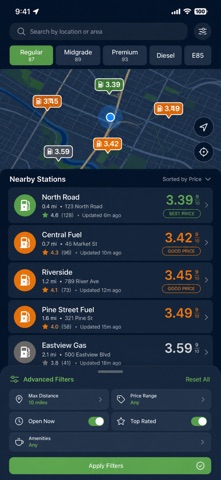
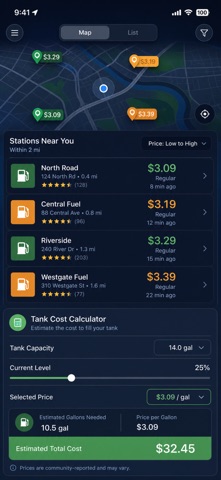
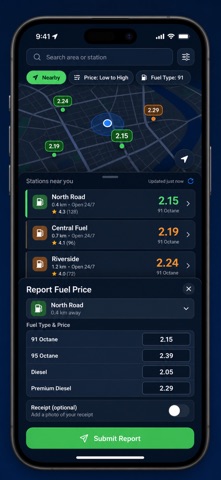
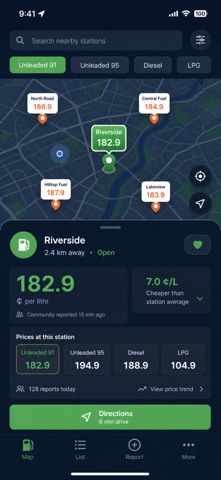
Find the cheapest gas prices near you before you pull out of the driveway. FuelUp maps nearby stations, compares the price of every fuel type side by side, and tells you the exact cost of a fill-up up front. Most fuel apps only show the pump nearest to you. FuelUp drops a color-coded pin for every station around you — cheapest in green, priciest in red — so you can see at a glance where to stop and how much you will actually pay. WHAT YOU GET - A live map of nearby stations, each pin colored by price so the cheapest one is obvious - Prices compared across regular, midgrade, premium, diesel, and E85 in one view - A tank calculator that turns your tank size and level into the real cost of a fill-up - Community-reported prices from drivers on the road, so fresh deals surface fast - Price-history charts that show how a station's numbers move week to week - Price-drop alerts that ping you when a favorite station gets cheaper PERFECT FOR - Commuters who fill up every week and want the lowest price on their route - Road trippers planning where to stop before the tank runs low - Rideshare and delivery drivers watching every cent of fuel cost - Anyone tired of guessing which station down the street is cheaper WHY NOT JUST CHECK EACH STATION SIGN? Driving from sign to sign burns the fuel you are trying to save on. FuelUp lays every nearby price on one map so you compare before you turn the key, then navigate straight to the winner in a single tap. PRIVACY Your location is used only to map stations around you — it is not sold or shared. Your profile and reports stay on your device. Station data comes from OpenStreetMap. FULL ACCESS Full access unlocks unlimited favorites, price-history charts, advanced filters by brand and amenities, price-drop alerts, CSV export, and every station on the map with no cap. Choose the plan that fits: weekly, yearly, or a one-time lifetime purchase. Open FuelUp, allow location, and stop overpaying at the pump. Prices are community-reported and shown as a helpful guide — always confirm the number on the pump. Terms of Use (EULA): https://web-levi.web.app/terms Privacy Policy: https://web-levi.web.app/privacy-policy Questions? tphuc.work@gmail.com
Latest release
What’s New
Bug fixes and performance improvements.
Audience growth
Ratings growth
Baseline captured. Growth appears after the crawler observes a changed rating count.
Momentum comes from crawler snapshots for the tracked storefront. “Viral growth signal” means unusually fast recent rating gains; it is an indicator, not download data.
Price tracking
Price intelligence
First snapshot captured. The trend line starts after the next crawler price observation.
- First observed Aug 19, 2026 · 7:38 PM Free
Screenshots