About this app
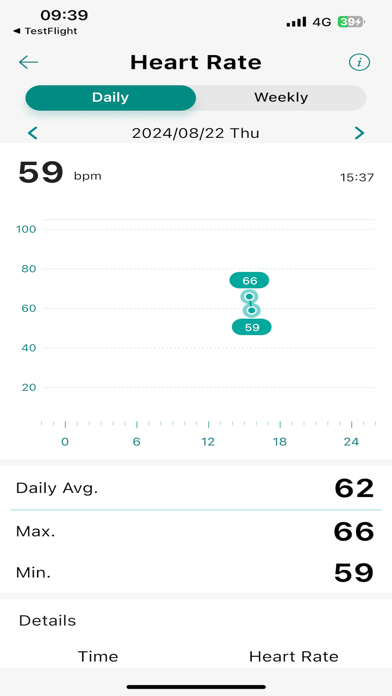
Health management through your ASUS VivoWatch and HealthConnect Business APP, for creating a more balanced and healthy life. HEALTH DATA DASHBOARD including PTT index, Heart Rate, Sleep tracking etc., closely monitors your health info. You can easily adjust each item on the customized-dashboard. MANUAL INPUT HEALTH DATA including Female Period Tracking, Blood Pressure, Medication schedule etc., for better health management records. ASUS HEALTHY GROUP to stay up to date with your loved ones. Share your health info with your family and friends with ease. " You can tap the icon near the date on the dashboard to enter ASUS Healthy group screen." CARING MODE provides family or friend a convenient function to check the health data of the watch users. WATCH FACE EDITOR function to customize your favorite and unique watch face that you are going to read everyday. SNORING detection helps you to understand your sleeping quality every night. DE-STRESS LEVEL AND BODY HARMONY manages your body and emotion balance. EASY SETTING AND LINK with your ASUS VivoWatch, a perfect combination for your health management. WORLD CLOCK displays your second time zone. E-INVOICE MOBILE BARCODE You can present and use E-INVOICE MOBILE BARCODE on your watch. To set up, type barcode in APP and synchronize to the Watch. HEALTHKIT HealthConnect Business App share healthdata (Heart Rate, Steps, Calories) to HealthKit, and won't get any data from HealthKit. Notification function of ASUS VivoWatch allows it to display incoming call numbers and message previews when paired with a smartphone via Bluetooth and when calls or messages are received. Notice: Customized Watch Face function, Body Harmony, World Clock, and E-Invoice Mobile Barcode are not applied for ASUS VivoWatch BP/SE. HealthConnect Business may not be available in some countries and does not provide any medical services. Please consult a doctor from a qualified medical institution before using or making medical decisions.
Latest release
What’s New
Fix bugs
Audience growth
Ratings growth
Baseline captured. Growth appears after the crawler observes a changed rating count.
Momentum comes from crawler snapshots for the tracked storefront. “Viral growth signal” means unusually fast recent rating gains; it is an indicator, not download data.
Price tracking
Price intelligence
First snapshot captured. The trend line starts after the next crawler price observation.
- First observed Aug 14, 2026 · 12:07 AM Free
Screenshots