About this app
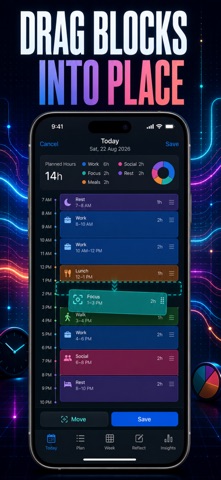
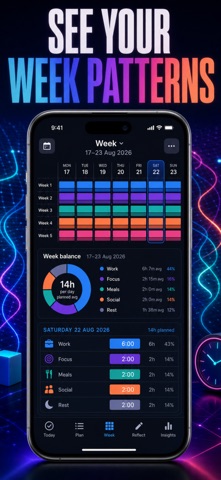
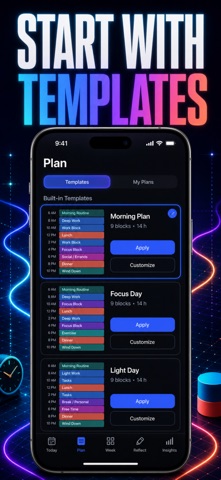
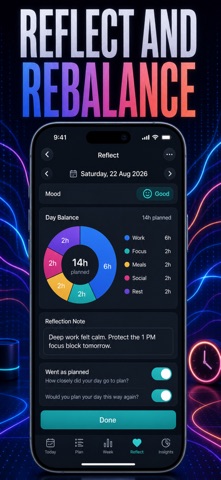
Time blocking, made visual. Stop writing to-do lists that hide where your hours actually go — color-block every hour on one vertical timeline and see your entire day, work to rest, at a single glance. Instead of typing tasks into a flat list, you drag colored blocks onto an hourly timeline and adjust them with a pinch. Each block gets a category and a color, so your whole day reads like a map: focus in blue, meals in orange, rest in green. One look tells you if your day is balanced or overloaded before it even starts. WHAT YOU GET - Drag colored blocks onto an hourly timeline instead of typing lists - Color categories for work, focus, meals, social time and sleep - A week view with a density heatmap showing how full each day was - Time insights: category breakdown, most productive hours and day balance - A daily reflection journal with a mood check and a day streak - Quick-start templates and an optional daily reminder to plan PERFECT FOR - Time-blockers who want to see their schedule, not just read it - Remote workers and students shaping focus and break time - Anyone rebalancing a day that feels busy but unproductive - Journalers who want mood and reflection tied to how they spent time WHY NOT JUST USE A TO-DO LIST A checklist tells you what to do but never where your hours go. DayCanvas puts every task on a real timeline, so you see gaps, overloads and how much of your day is truly focus versus filler — then reflect and rebalance for tomorrow. PRIVACY No account, no ads, no tracking. Every plan and reflection stays on your device. FULL ACCESS Premium unlocks unlimited blocks every day, the week heatmap, full time insights and your complete reflection journal history. Available as a weekly plan, a yearly plan, or a one-time lifetime purchase. Open the timeline and drop your first colored block on today. Terms of Use (EULA): https://web-levi.web.app/terms Privacy Policy: https://web-levi.web.app/privacy-policy Questions? tphuc.work@gmail.com
Latest release
What’s New
Bug fixes and performance improvements.
Audience growth
Ratings growth
Baseline captured. Growth appears after the crawler observes a changed rating count.
Momentum comes from crawler snapshots for the tracked storefront. “Viral growth signal” means unusually fast recent rating gains; it is an indicator, not download data.
Price tracking
Price intelligence
First snapshot captured. The trend line starts after the next crawler price observation.
- First observed Sep 3, 2026 · 7:12 PM Free
Screenshots