About this app
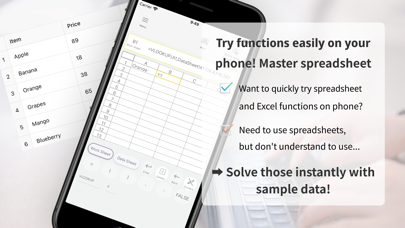
-Make Learning Spreadsheet Functions Easy with App This app is designed to support beginners and new professionals in mastering functions in spreadsheet software like Excel. While it focuses on mastering the VLOOKUP function, it also supports SUM, HLOOKUP, INDEX, and MATCH functions. -Purpose of the App This app is designed to help users learn spreadsheet functions efficiently with an easy-to-understand button layout. Instead of typing each character using a keyboard, users can create functions by combining blocks of formulas through button taps, making it simple for anyone to create functions. -Features of the App Ease of Use: Users can create functions by simply pressing buttons within the app. Instead of using a keyboard, functions are broken down into blocks that can be entered with buttons, making it easy for beginners to know where to start. Practical Learning: Users can practice functions with sample data, allowing them to experience functions immediately after downloading the app on their smartphones. Supported Functions: The app currently supports VLOOKUP, SUM, HLOOKUP, INDEX, and MATCH functions, covering the essential functions needed by beginners in spreadsheet software. This ensures that users can handle everything from basic data operations to advanced analysis. Efficient Learning: The app provides clear explanations of how to use VLOOKUP, enabling beginners to grasp the basics of functions quickly. By actually using the functions, users can learn effectively while experiencing their benefits. -Use Cases for the App New Professionals: Efficiently learn spreadsheet functions, a vital skill in the business world. PC Beginners: With an easy-to-understand interface and operation method, even those new to spreadsheet functions can learn without stress. Skill Enhancement: Easily review the basic operations of functions on your smartphone. With this app, learning spreadsheet and Excel functions is simple and enjoyable. Download now and elevate your business skills to the next level!
Latest release
What’s New
-Minor UI fixed
Audience growth
Ratings growth
Baseline captured. Growth appears after the crawler observes a changed rating count.
Momentum comes from crawler snapshots for the tracked storefront. “Viral growth signal” means unusually fast recent rating gains; it is an indicator, not download data.
Price tracking
Price intelligence
First snapshot captured. The trend line starts after the next crawler price observation.
- First observed Aug 21, 2026 · 1:34 AM Free
Screenshots