About this app
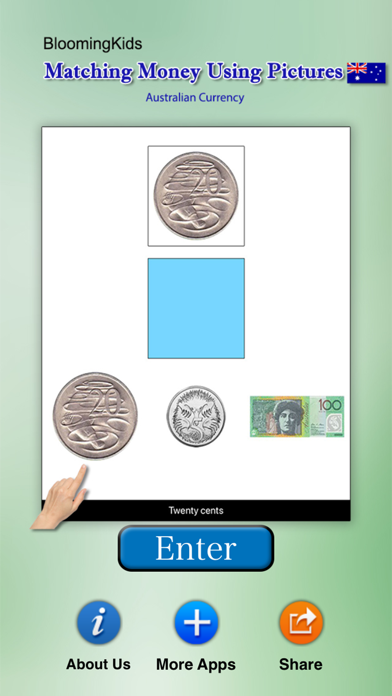
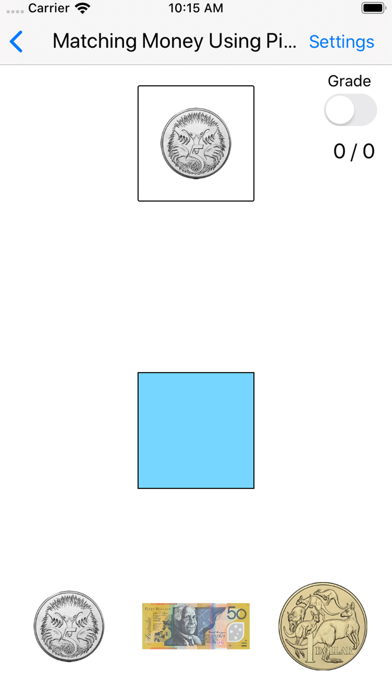
Australian Money Matching - The student matches pictures of coins and notes with similar pictures.This teaching program aimed at autistic, learning disabled, and young mainstream children. Here, all six coins and five notes appear in a two-row, two-column matrix on the screen. When the mouse pointer moves over the picture of a coin or note, another picture of the coin or note appears in the box on the right side of the screen. The picture of the coin or note rotates so that both the front and back can be seen. Next and Prev By clicking on the student can view the next or the previous set of coins or notes. Auto Play Check the “Auto Play" box to run the “Money Matrix" program automatically; the student can just sit back and watch. To stop the automatic run, uncheck the box. Sound This option is selected by default. When this box is checked, the program pronounces the name of the coin or note. If unchecked, it doesn't say the name. Descriptive This option is selected by default. When this box is checked, sentences appear under the picture in the right-hand box giving the name and value of the coin or note shown in the picture. Coins and Notes This option is selected by default. When this box is checked, both coins and notes will appear in the matrix. Coins If the “Coins" box is checked only coins will appear in the matrix. Notes If the “Notes" box is checked only notes will appear in the matrix. Name and Value This option is selected by default. When this box is checked, both the name and the value of the coin or note will appear under the picture. Name When this box is checked, only the name of the coin or note will appear under the picture. Value When this box is checked, only the value of the coin or note will appear under the picture. Done Click on the “Done" button to close “Money Matrix" and return to the main program.
Latest release
What’s New
The current app version updated with the new age rating.
Audience growth
Ratings growth
Baseline captured. Growth appears after the crawler observes a changed rating count.
Momentum comes from crawler snapshots for the tracked storefront. “Viral growth signal” means unusually fast recent rating gains; it is an indicator, not download data.
Price tracking
Price intelligence
First snapshot captured. The trend line starts after the next crawler price observation.
- First observed Aug 27, 2026 · 9:14 AM Free
Screenshots