About this app
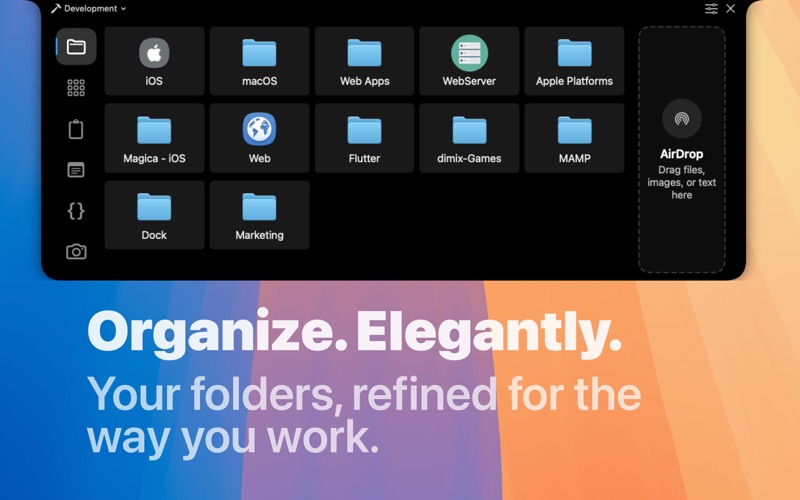
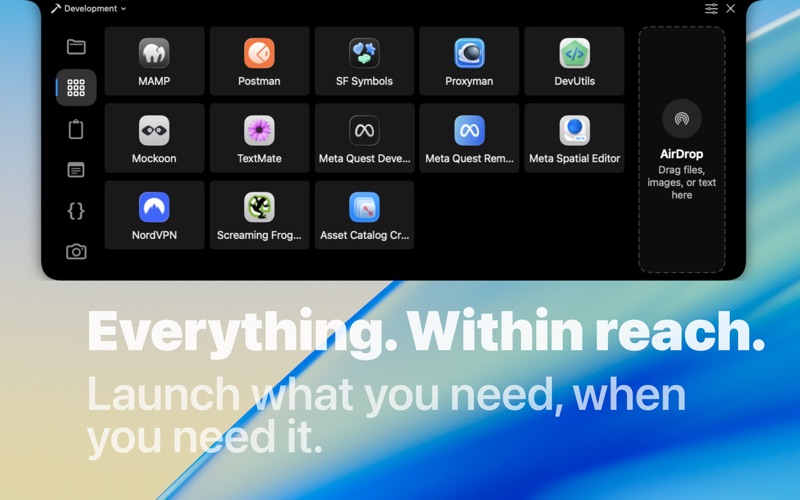
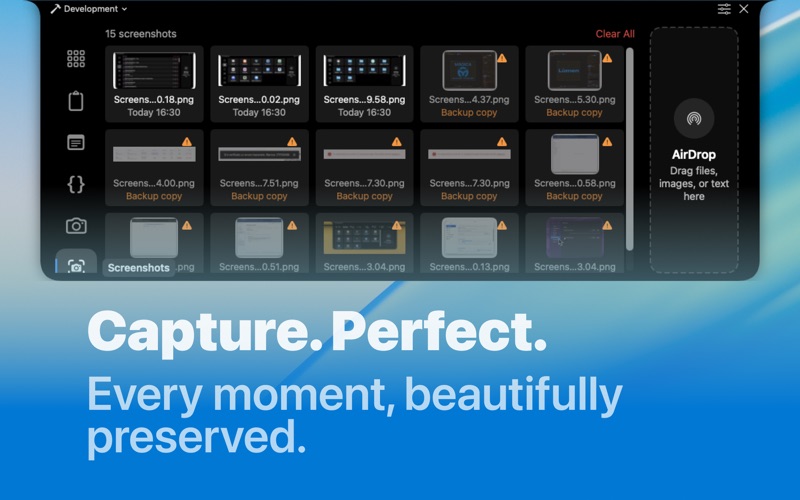
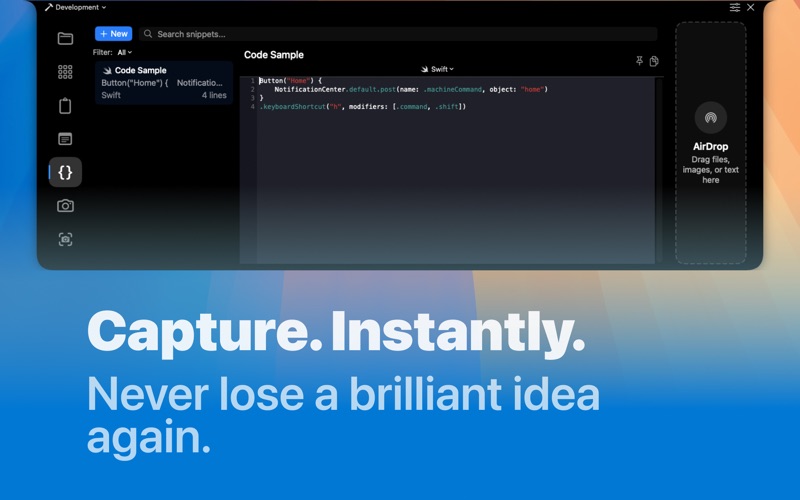
work.bench is the ultimate menu bar utility for macOS that revolutionizes your workflow. Designed exclusively for Mac with a beautiful notch-inspired interface, work.bench brings everything you need within a single click. KEY FEATURES: • Quick Access - Your favorite files and apps, one hover away. Instantly organize and access your most-used folders right from the menu bar. • Instant Capture - Say goodbye to messy Stickies. Capture thoughts on the fly, save code snippets, and keep your ideas organized in one secure place. • Seamless Sharing - Built-in AirDrop for simple drag & drop file sharing. Send documents, images, and any file to your nearby Apple devices without opening Finder. • Smart Clipboard - Your clipboard history, always accessible. Never lose copied text again with advanced clipboard management that keeps everything organized and searchable. PERFECT FOR: • Developers - Quick access to projects, code snippet management, and workspace organization for different projects • Designers - Fast project file management, AirDrop sharing, and screenshot organization • Professionals - Instant document access, meeting notes management, and optimized workflow for multitasking • Students - Study material organization, educational app access, and course notes management WHY WORK.BENCH: • Native Mac Design - Seamlessly integrates with macOS, following Apple guidelines and offering a familiar user experience • Privacy First - Your data stays yours. Fully sandboxed and secure, with no telemetry or data collection • Optimized Performance - Lightweight and fast, designed to never slow down your Mac • Multi-Display Support - Works perfectly across multiple monitor setups work.bench transforms desktop chaos into organized productivity. Join thousands of users who have already revolutionized their Mac experience. Privacy - Terms: https://workbench.dimix.it/privacy.html
Latest release
What’s New
Get the new version of Workbench Menu Hub for macOS! In this version: > New UI, now you can customize the aspect of work.bench! > New links section. > Fixed Airdrop drag & drop. > Fixed some bugs.
Audience growth
Ratings growth
Baseline captured. Growth appears after the crawler observes a changed rating count.
Momentum comes from crawler snapshots for the tracked storefront. “Viral growth signal” means unusually fast recent rating gains; it is an indicator, not download data.
Price tracking
Price intelligence
First snapshot captured. The trend line starts after the next crawler price observation.
- First observed Aug 20, 2026 · 8:36 AM Free
Screenshots