About this app
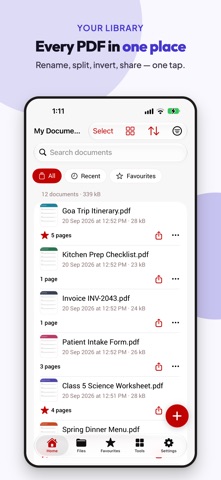
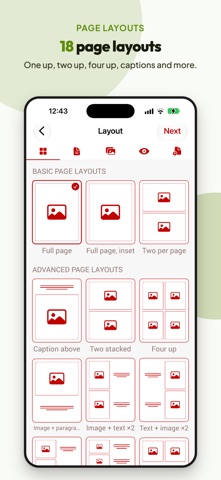
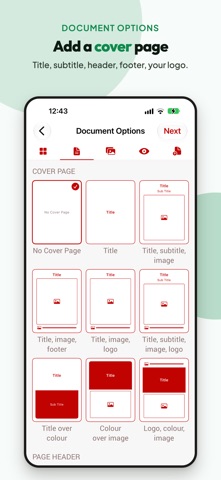
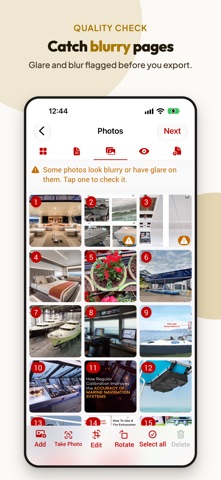
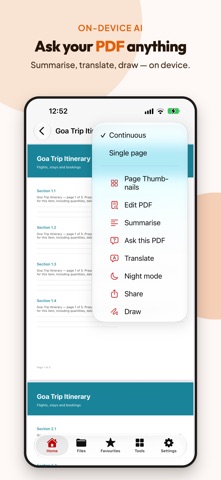
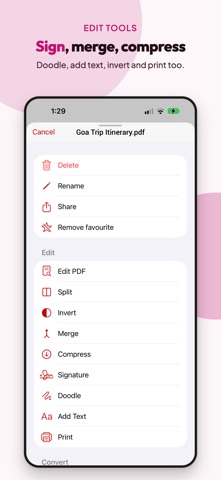
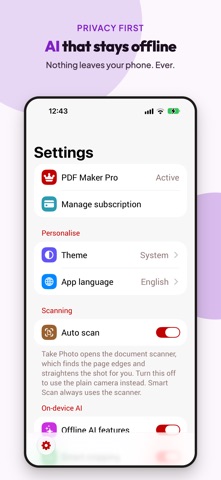
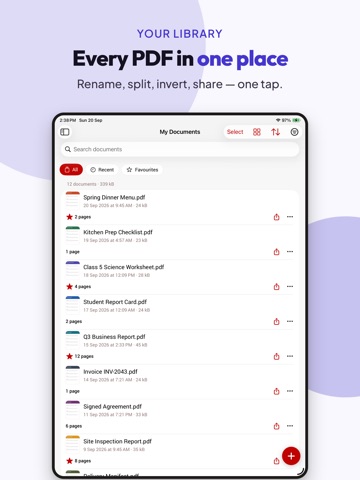
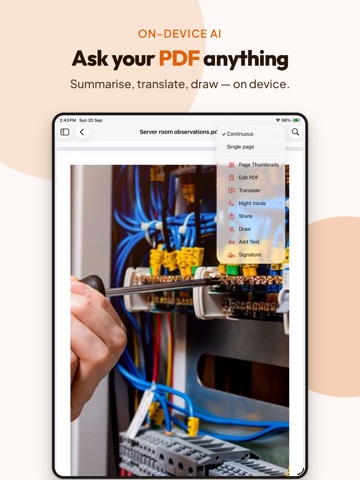
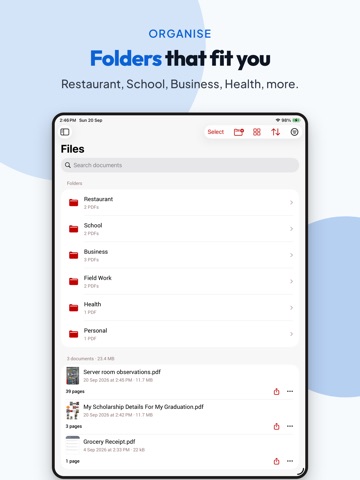
Turn photos into polished, share-ready PDF documents PDF Maker - Photos to PDF makes it easy to create professional PDF files from photos in your gallery or camera. Choose a ready-made layout or build your own custom template, add a cover page, adjust page settings, and export a document that looks consistent every time. Then scan, sign, protect, merge, compress and convert - everything a PDF needs, in one app. Whether you are creating reports, document sets, site photos, portfolios, forms, or branded photo pages, PDF Maker gives you full control over how your PDF looks before you share it. 1. Create PDFs from photos * Add photos from your gallery or camera * Combine multiple images into one PDF * Preview every page before exporting, and edit it right there * Save files for later use or share instantly 2. Templates and custom layouts * Choose from ready-made photo layouts * Build your own custom template, cell by cell * Photo grid pages for repeatable document styles * Type captions straight onto the page preview, exactly where they will print 3. Brand your documents * Add a cover page from a choice of cover templates * Add header and footer text, with automatic page numbers * Add your logo for branded PDF documents * Consistent output for business, project, or team use 4. Full page control * Choose portrait or landscape * Adjust margins, spacing and paper size * Set image scaling and fill options * Fine-tune the layout before export * Your settings are remembered for next time 5. Scan with your camera * Automatic page edge detection and straightening * A warning when a photo is blurry, so you can retake it before exporting * ID card mode places both sides on a single page 6. Edit and sign * Crop, rotate, insert, delete and reorder pages * Mark up images to highlight details * Sign by drawing, typing, photographing or importing a signature * Add text and freehand drawing anywhere on a page 7. Every PDF tool you need * Merge several PDFs into one * Split a PDF into separate files * Convert PDF to JPG * Invert colours for easier reading * Import and open existing PDF files * Print straight from the app 8. Protect private documents * Lock a PDF with a password, one file or many at once * Remove a password from a PDF you own * Hide private details: names, numbers and addresses are found and removed for you 9. On-device intelligence (on supported devices) * Make scanned pages searchable with OCR * Suggested file names and automatic categories * Summarize a long document, or ask it a question * Nothing about your documents ever leaves your device 10. Control file size * Compress a finished PDF for faster sharing * Resize images for compact PDFs * Adjust JPG/PNG quality to reduce file size further 11. Share anywhere * Share with friends, colleagues, clients, or team members * Save to Files for later use * Send to cloud storage or other apps * Send photos or PDFs to PDF Maker from any other app * Print or export when needed Built for iPhone and iPad, in light and dark mode, with Split View, VoiceOver and Dynamic Type support, and available in 54 languages. PDF Maker Pro removes ads. Every feature stays free. Simple, flexible, and powerful, PDF Maker helps you turn everyday photos into professional PDF documents in just a few steps. Download now and create custom PDF documents from gallery or camera photos with ease. Privacy Policy https://pdfmaker.tasakiapps.com/privacy-policy.html Apple EULA https://www.apple.com/legal/internet-services/itunes/dev/stdeula/ Need help or support? Contact us at info@tasakiapps.com or visit https://pdfmaker.tasakiapps.com
Latest release
What’s New
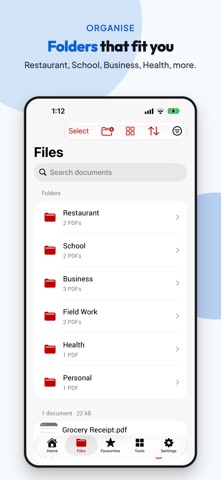
A complete rebuild of PDF Maker, inside and out. NEW DESIGN * Rebuilt for iPhone and iPad, in light and dark mode * Works in every orientation, in Split View, with VoiceOver and Dynamic Type * Now available in 54 languages * Home, Files, Favourites and Tools, so everything is one tap away CREATE * Ready-made photo layouts, or build your own custom template * Type captions straight onto the page preview, exactly where they will print * Cover pages, headers and footers with your logo and automatic page numbers * Paper size, orientation, margins, spacing, scaling and image quality, all remembered for next time SCAN * Automatic page edge detection and straightening * A warning when a photo is blurry, so you can retake it before exporting * ID card mode places both sides on a single page EDIT AND SIGN * Crop, rotate, insert, delete and reorder pages * Sign by drawing, typing, photographing or importing a signature * Add text and freehand drawing anywhere on a page TOOLS * Merge, split, compress and invert * Convert PDF to JPG * Import existing PDFs, and print straight from the app * Send photos or PDFs to PDF Maker from any other app PROTECT * Lock a PDF with a password, one file or many at once, and remove passwords you own * Hide private details: names, numbers and addresses are found and removed for you ON-DEVICE INTELLIGENCE * Make scanned pages searchable with OCR * Suggested file names and automatic categories * Summarize a document or ask it a question, on supported devices * Nothing about your documents ever leaves your device Every feature stays free. Thank you for using PDF Maker. Tell us what to build next at info@tasakiapps.com.
Audience growth
Ratings growth
Baseline captured. Growth appears after the crawler observes a changed rating count.
Momentum comes from crawler snapshots for the tracked storefront. “Viral growth signal” means unusually fast recent rating gains; it is an indicator, not download data.
Price tracking
Price intelligence
First snapshot captured. The trend line starts after the next crawler price observation.
- First observed Sep 25, 2026 · 10:07 AM Free
Screenshots