About this app
Prayer Ledger is a private place to write, record, and remember your prayers. Capture prayers in text or voice, keep track of what has been on your heart, and look back on answered moments with care. The app is designed to feel calm, personal, and encouraging across iPhone, iPad, and Mac. Inside Prayer Ledger you can: • Write or record prayers in a clean journal flow • Attach voice prayers and optional transcription • Mark prayers as answered or still praying • Review your journey over time in Timeline and Insights • Follow reading plans and keep simple notes • Keep everything local-first, with iCloud sync when available • Use optional support purchases that unlock nothing and simply support the app Prayer Ledger is not built around pressure or performance. It is a gentle place to keep praying, remember what God has done, and stay rooted in the Word.
Latest release
What’s New
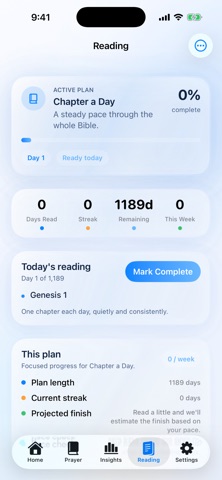
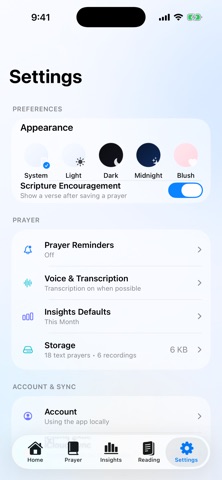
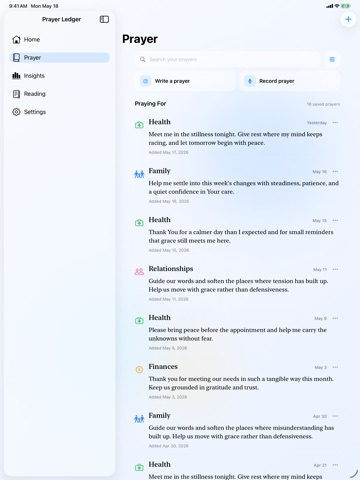
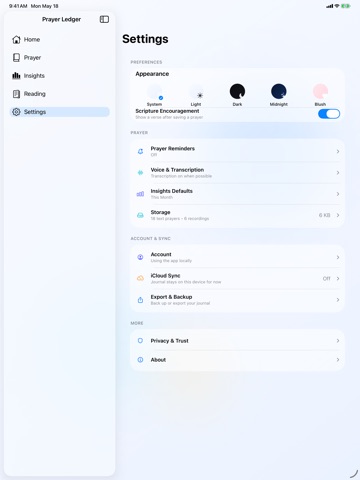
App Store Update Summary Prayer Ledger has been thoughtfully refined across iPhone, iPad, and Mac with a calmer Home screen, a cleaner prayer ledger, reflection-first Insights, refreshed Reading, a simpler Support flow, and a more native Settings experience. Suggested "What's New" Text Prayer Ledger has been thoughtfully refined across iPhone, iPad, and Mac. This update introduces a calmer Home experience, a cleaner prayer ledger, reflection-first Insights, improved Reading plan progress, a simpler Support flow, a new Storage view in Settings, and broader polish across voice prayer, long-press actions, iPad layout, and macOS presentation. Detailed Update Notes • Home was redesigned to feel less boxy and more focused, with quick prayer actions, a smaller support entry point, and simpler top-level stats. • Prayer now feels more like a living prayer ledger, with faster write/record entry points and calmer journal-style rows. • Insights now lean toward reflection instead of scorekeeping, with category-led summaries and clearer "Where your prayers have gone" breakdowns. • Reading is back in the main navigation with a plan-focused view, flexible same-day reading, and pace-aware remaining time. • Settings were rebuilt into a cleaner native grouped layout, including a new Storage screen that shows local text and voice prayer usage and now holds Recently Deleted. • Support purchases were moved to Home via the top-left Support button and kept as optional consumable support purchases that unlock nothing. • iPad and macOS layouts were tuned to stay visually aligned with iPhone while still feeling native to each platform. App Review Notes • Sign in with Apple and iCloud sync are optional. The app works fully without sign-in. • Support purchases live at Home > Support. They are optional consumable tip-style purchases and unlock no features. • Account deletion lives at Settings > Account > Delete Account and Journal. • Voice prayers are stored locally on device. Transcription is optional when available. • If App Review tests iCloud sync, use a signed-in iCloud account with CloudKit available.
Audience growth
Ratings growth
Baseline captured. Growth appears after the crawler observes a changed rating count.
Momentum comes from crawler snapshots for the tracked storefront. “Viral growth signal” means unusually fast recent rating gains; it is an indicator, not download data.
Price tracking
Price intelligence
First snapshot captured. The trend line starts after the next crawler price observation.
- First observed Aug 13, 2026 · 1:11 AM Free
Screenshots