About this app
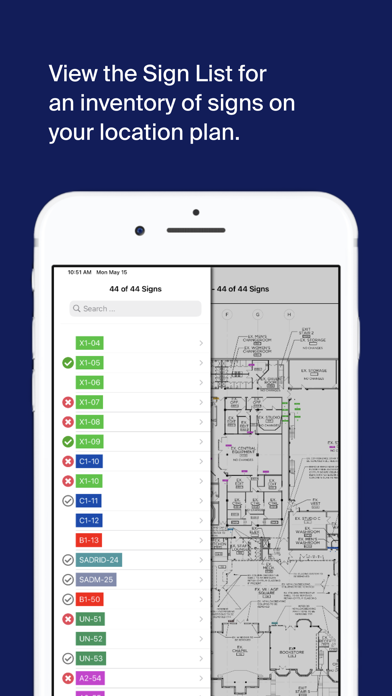
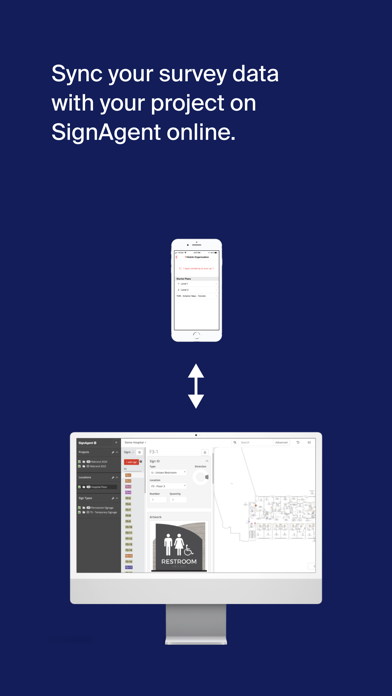
Working on another time-consuming sign survey, audit or punch list? Get it done faster and more accurately and leave the cart, buggy, and clipboard behind. SignAgent’s iOS app, your iPhone or iPad are all you need. Take pictures of signs, assign state and type, view messages, and add comments. Your data is captured as you go and immediately synced with your SignAgent desktop. *Features* With the SignAgent iPhone and iPad app you can: - Log in using your existing SignAgent credentials and access your current projects -See the sign information from currently programmed floor plans and list view including: Sign State, Sign Type, Location, Number, Quantity, Messaging, Artwork, Comments - Take pictures of existing signs - Pinch to zoom, move through the plan using your fingers, and rotate the plan 45 degrees at a time - Surveying and Auditing: Tap and hold on the plan to add a new sign marker. Take multiple pictures, add comments, and collect all necessary information - Manage sign tags: Select, rotate and move signs within the plan - Share information back and forth: Sync all of your project data with SignAgent online. Any changes can also be synced back to the mobile device. - Divide and Conquer: Set up multiple mobile iOS devices on the same project to complete your survey even faster! - Choose your workflow: Pick whether to launch camera when adding new signs, or display messages with artwork. - Punch/Review: Easily evaluate signs with approval and rejection actions within the app. - Doing a large exterior or city-wide project? The SignAgent app works with the mapping feature. *System Requirements* Requires iOS 12.0 or later. Compatible with iPhone 6 or later, iPad Air Wifi or later, and iPod touch.
Latest release
What’s New
UI fix to force “compact” width so the tab bar stays at the bottom on iPad screens.
Audience growth
Ratings growth
Baseline captured. Growth appears after the crawler observes a changed rating count.
Momentum comes from crawler snapshots for the tracked storefront. “Viral growth signal” means unusually fast recent rating gains; it is an indicator, not download data.
Price tracking
Price intelligence
First snapshot captured. The trend line starts after the next crawler price observation.
- First observed Aug 15, 2026 · 4:32 PM Free
Screenshots