About this app
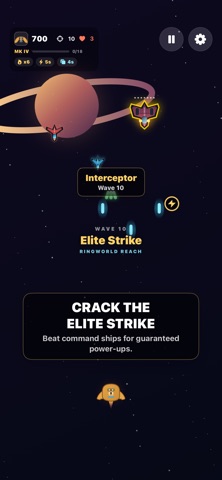
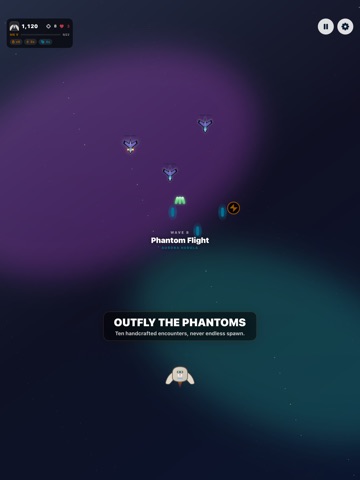
Space Shooter is a paid arcade survival game with everything included: no ads, no subscription, and nothing locked behind a purchase. Pick your pilot, pick your hull, and fly. Nine squadron pilots each cut a silhouette you can read mid-run, and every hull wears its pilot's colours. Pilot your ship while auto-fire keeps the pressure on, and clear each enemy formation before it hits you or slips past. Build shot streaks for bonus points, collect power-ups, and learn the attack pattern of every named encounter. Every run gives you another target to chase. Space Shooter tracks your best score, daily best, highest wave, best streak, targets destroyed, accuracy, power-ups collected, and best no-damage wave locally on your device. Features: - Quick arcade rounds built for short breaks - Drag-to-steer touch controls with automatic firing - Optional left and right button controls - Easy, Hard, and Extreme difficulty levels - Ten handcrafted encounter patterns with finite enemy formations - Nine enemy types with distinct silhouettes, weapons, movement, and durability - Sector Warden boss fights every tenth wave, with a second phase below half armor - Elite command ships that guarantee a power-up when defeated - Rapid fire, double shot, shield, slow time, and screen clear power-ups - Streak bonuses, wave milestones, and run summaries - Game Center high-score leaderboard and six achievements - Personal records and daily best score - Original arcade music, sound effects, and optional haptics - Distinct enemy silhouettes, readable power-ups, and vivid combat effects - Nine squadron pilots to choose from, each with a silhouette you can read mid-run - Six ship hulls, six visual themes, and four alternate app icons - Everything included: no ads, no subscription, no in-app unlocks - First-party GameWobble collection links - No account or internet connection required for offline play How many waves can you survive?
Latest release
What’s New
The tip jar in Settings now works. If you feel like leaving a tip you can, and it still unlocks nothing — every hull, pilot, theme and app icon has been included since 3.0, and none of them are behind a purchase.
Audience growth
Ratings growth
Momentum comes from crawler snapshots for the tracked storefront. “Viral growth signal” means unusually fast recent rating gains; it is an indicator, not download data.
Price tracking
Price intelligence
- Price increased Sep 21, 2026 · 5:13 AM $0.99 from 0.00
- First observed Aug 20, 2026 · 9:28 AM Free
Screenshots