About this app
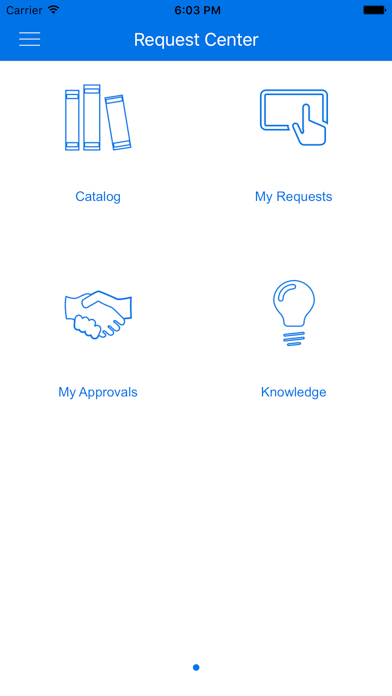
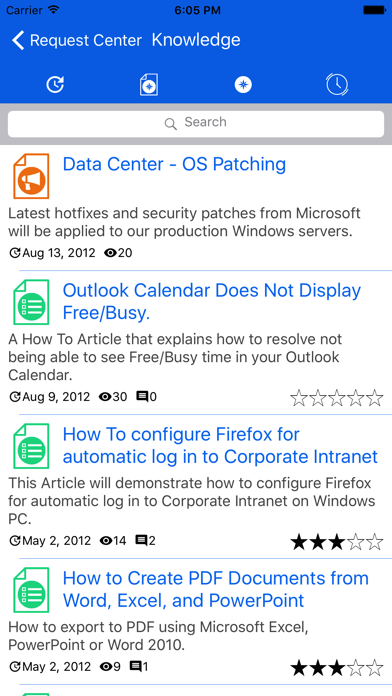
Service Request Center Mobile enables users to browse available IT and business service requests and their associated SLAs, and then submit and monitor requests from their mobile devices. Your IT service staff and managers can also easily approve, track, and fulfill requests from their mobile devices. Users can use SRC Mobile to: • Browse the catalog for service requests • Manage set of your favorite categories and services • Catalog of services is available in 2 modes: with nested categories (for SSM 5.2) and with a single level of categories (SSM older than 5.2) • Search the catalog for available service requests • Submit requests with the ability to attach a picture from camera • Choose full form or simplified form format to manipulate with form data in the most convenient way • Browse your service requests and execute transitions on a particular request • Browse tickets waiting for your approval and proceed with approvals • Offline Mode. Mobile users can now download and work with items in offline mode, which enables them to continue work even when wi-fi or network coverage is unavailable. • SRC Mobile provides the same user experience to work with the Knowledge base as Web client: o Search for the article o Filter articles o Contributing your feedback to the Knowledge base adding comments and giving rates to the articles o Once new item is submitted, search through the Knowledge base is performed automatically while Title is entered. Pop-up shows some articles found related to the Item Title.
Latest release
What’s New
- Support SBM 11.7.1 - Text scanning (OCR) - Predicting field values (SBM server 11.7) - Updated login screen to be consistent with Micro Focus products - Pre fill log in details using remote configuration - Defect fixes and improvements
Audience growth
Ratings growth
Baseline captured. Growth appears after the crawler observes a changed rating count.
Momentum comes from crawler snapshots for the tracked storefront. “Viral growth signal” means unusually fast recent rating gains; it is an indicator, not download data.
Price tracking
Price intelligence
First snapshot captured. The trend line starts after the next crawler price observation.
- First observed Aug 14, 2026 · 10:26 AM Free
Screenshots