About this app
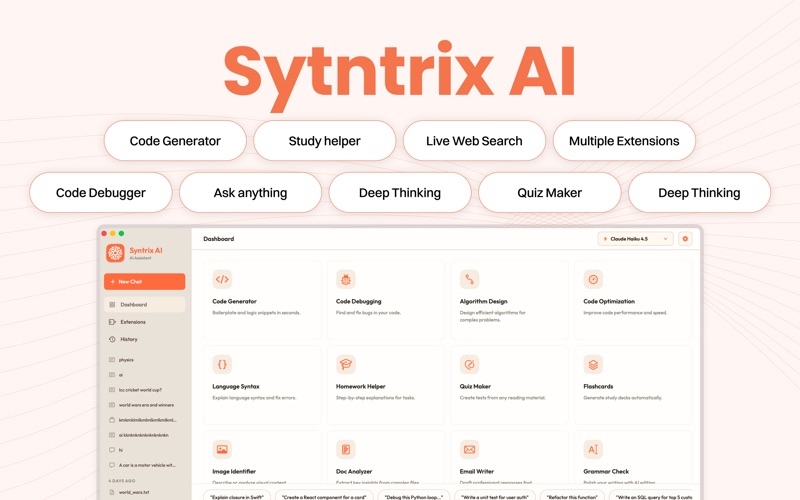
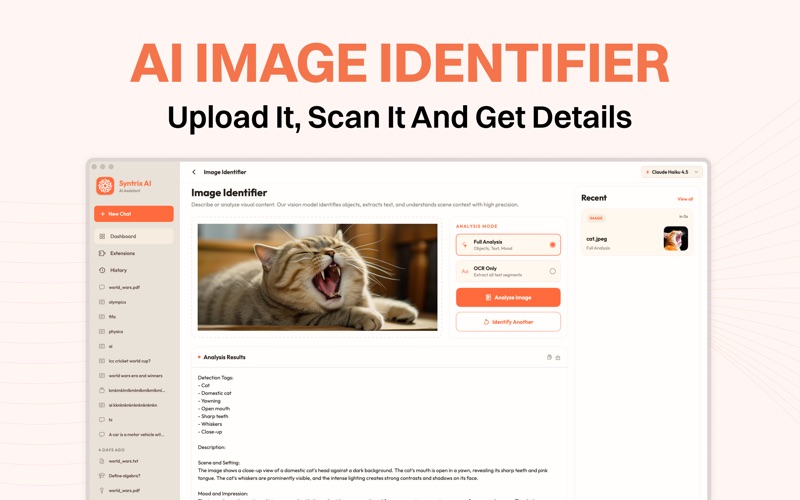
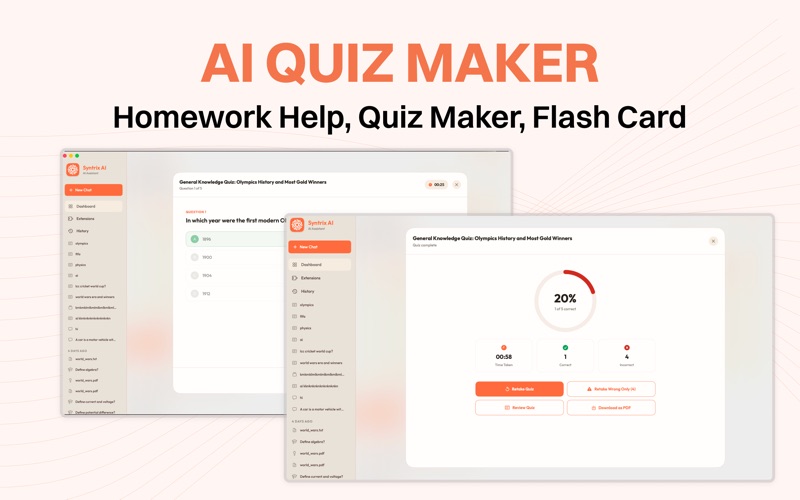
Syntrix AI Assistant is a powerful AI productivity companion built exclusively for macOS. Whether you're a developer, student, researcher, or creative professional, Syntrix brings advanced AI tools into one seamless workspace to help you code faster, analyze smarter, and work more efficiently. From generating code and understanding complex documents to identifying objects in images and creating quizzes for learning, Syntrix helps you complete everyday tasks with the power of artificial intelligence—all from a clean, native macOS experience. AI Code Generator Write high-quality code in seconds with AI-powered code generation. Whether you're starting a new project, building functions, fixing bugs, or exploring new programming languages, Syntrix helps you generate clean, readable, and efficient code with ease. Safari & Xcode Extensions Boost your workflow with built-in extensions for Safari and Xcode. Use AI directly while browsing in Safari. Get coding assistance inside Xcode without switching applications. Generate, explain, optimize, and review code from your development environment. Stay focused and productive with AI available wherever you work. AI Image Identifier Understand images instantly using advanced AI vision capabilities. Identify objects, landmarks, plants, animals, and more. Analyze screenshots and visual content. Extract useful insights from uploaded images. Perfect for students, professionals, and everyday users. AI Document Analyzer Upload documents and let AI help you understand them in seconds. Summarize lengthy documents. Extract key information and important points. Explain difficult topics in simple language. Analyze reports, research papers, PDFs, and other text documents. AI Quiz Maker Turn any topic or document into an interactive quiz. Generate quizzes from notes or study material. Create multiple-choice questions for self-learning. Reinforce knowledge with AI-generated practice tests. Great for students, educators, and lifelong learners. Designed for macOS Syntrix AI Assistant is built with a modern macOS interface that feels fast, intuitive, and easy to use. Everything is designed to help you stay productive without unnecessary distractions. Premium Features Upgrade to Syntrix Pro to unlock advanced AI capabilities, higher usage limits, and access to premium productivity tools. Why choose Syntrix AI Assistant? AI-powered code generation Safari & Xcode integration Intelligent image recognition Smart document analysis Automatic quiz generation Fast, native macOS experience Clean and privacy-focused design Whether you're writing code, studying for exams, analyzing documents, or exploring ideas, Syntrix AI Assistant helps you accomplish more with the power of AI—all in one intelligent macOS application. Subscription Plans This App offers the following auto-renewable subscriptions and a one-time lifetime purchase to unlock all premium features: • Weekly Plan – auto-renews weekly • Monthly Plan – auto-renews monthly • Yearly Plan – auto-renews yearly • Lifetime Plan – one-time purchase, never expires Payment will be charged to your Apple ID account at the confirmation of purchase. Auto-renewable subscriptions automatically renew unless auto-renew is turned off at least 24 hours before the end of the current period. Your account will be charged for renewal within 24 hours prior to the end of the current period at the same price as the original subscription. Subscriptions may be managed and auto-renewal turned off in your Apple ID Account Settings after purchase. Any unused portion of a free trial period (if offered) will be forfeited when you purchase a subscription. Note: Some features in this app may require a premium subscription. Users need to purchase a plan to unlock all premium features and get unlimited access to the complete app experience. Terms of Use: https://sites.google.com/view/appsync/termsconditions Privacy Policy: https://sites.google.com/view/appsync/privacy-policy
Audience growth
Ratings growth
Baseline captured. Growth appears after the crawler observes a changed rating count.
Momentum comes from crawler snapshots for the tracked storefront. “Viral growth signal” means unusually fast recent rating gains; it is an indicator, not download data.
Price tracking
Price intelligence
First snapshot captured. The trend line starts after the next crawler price observation.
- First observed Aug 8, 2026 · 11:59 PM Free
Screenshots