About this app
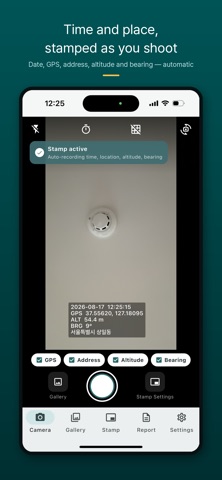
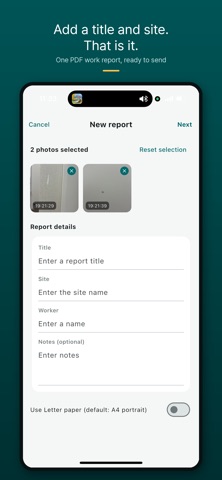
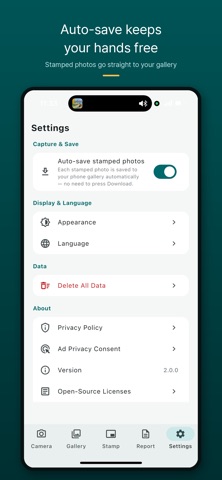
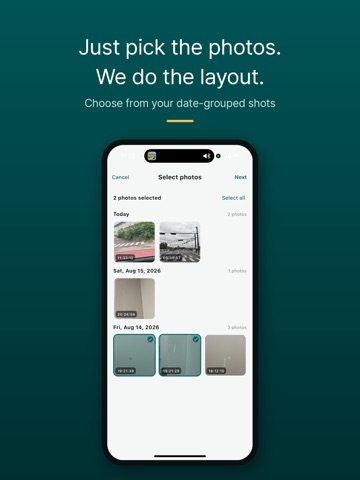
Every photo you take gets the date, time, GPS coordinates, and address burned right onto the image — a free timestamp camera built for proof. Work logs, site inspections, clock-in photos, property visits, construction progress, vehicle checks — whenever a photo needs to prove "when and where," finish it in a single shot. No separate editing app: the stamp is part of the image itself, ready to send by message or email. ▶ KEY FEATURES - Opens straight to the camera — date, time, and location stamped the moment you shoot - Drag the stamp anywhere on screen, pinch to resize - What you see is what you get — the preview matches the saved photo - GPS coordinates and address together (coordinates only when indoors/offline) - Originals go to your Photos library; stamped copies stay in the app - Gallery grouped by date, with a memo on each photo - Stamp existing photos with their original date and location - Stamp multiple photos from your album at once - Export your photos as a single work report PDF — with your own title and site name - English / Korean, light & dark themes ▶ MAKE THE STAMP YOURS - Date format options (2026-07-14 / July 14, 2026 / 07/14/2026, and more) - 24-hour or 12-hour clock, seconds on/off - Location lines à la carte — GPS coordinates / address / altitude / bearing - Custom text such as site name or worker name - Font size and background opacity controls - Free placement (anywhere you like) or anchored to a corner ▶ WHO IT'S FOR - Construction and field crews who log site photos every day - Field staff who need clock-in or asset-check photos - Real-estate agents adding location to listing photos - Anyone documenting accidents or claims with date and place - Travel, hiking, and fishing logs with location attached ▶ PRIVACY - No sign-up, no login - Photos are stored only on your device — never uploaded - Location is used solely to stamp it onto your photos - A Google AdMob banner is shown at the bottom - Settings → Delete All Data wipes everything at any time Photos that prove the time and place. Start free today.
Latest release
What’s New
Handle many photos at once. Japanese is now supported. - Long-press a photo in the gallery to start selecting several at a time - Share, save, or delete the selected photos in one go (up to 10 photos per share) - Import photos from your album right from the Gallery tab - Added Japanese — change it in Settings > Language - Various small fixes
Audience growth
Ratings growth
Baseline captured. Growth appears after the crawler observes a changed rating count.
Momentum comes from crawler snapshots for the tracked storefront. “Viral growth signal” means unusually fast recent rating gains; it is an indicator, not download data.
Price tracking
Price intelligence
First snapshot captured. The trend line starts after the next crawler price observation.
- First observed Sep 8, 2026 · 6:06 AM Free
Screenshots