About this app
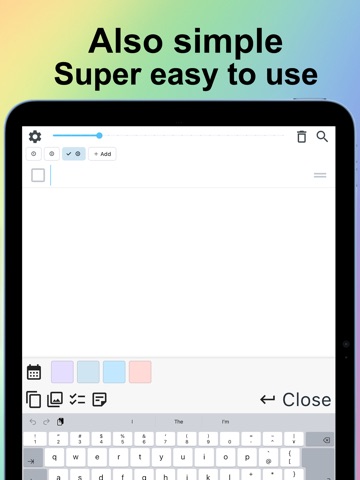
Stay organized without making things complicated. This simple, easy-to-read to-do list and calendar planner helps you keep track of everyday tasks, see what still needs your attention, and remember what matters. Create a task in seconds, break bigger tasks into smaller steps, add reminders, notes, and photos, and keep everything organized in one clear place. Whether you’re planning your day, making a shopping list, managing household chores, preparing for an appointment, studying, or organizing work, this app makes everyday task management simple. ■ Fast, simple task entry Adding a task should be quick. Just tap a row and start typing—no need to move through multiple screens. • Add tasks in seconds • Enter multiple tasks quickly • Check off completed tasks • Drag and drop to reorder them • Add subtasks, notes, and photos ■ Break bigger tasks into subtasks Turn a big task into smaller, manageable steps. Check off each subtask as you go and easily see your progress. It’s perfect for errands, preparations, projects, routines, shopping, study plans, and anything else that is easier one step at a time. ■ See your plans in a calendar View tasks by date and quickly see what you need to do today and what’s coming next. Your to-do list and calendar work together, making it easier to plan your day and keep your schedule organized. ■ Set reminders for what matters Choose a specific date and time, or set reminders for selected days of the week. Use them for appointments, medications, household tasks, study, exercise, weekly routines, and anything else you don’t want to forget. ■ Find unfinished tasks easily Tasks don’t have to disappear just because the day got busy. Review overdue, incomplete, and unscheduled tasks so you can quickly see what still needs attention and decide what to do next. ■ Add notes and photos Keep important details right with your tasks. Add a memo for extra information, or attach photos for shopping items, documents, reference images, and things you want to remember visually. Open photos in a larger view whenever you need a closer look. ■ Organize with categories and colors Separate tasks into customizable categories for work, shopping, study, family, appointments, housework, or anything else. Rename categories whenever you like, reorder tasks around your priorities, and use colors to make important or related items easier to recognize at a glance. ■ Comfortable and easy to read Adjust the text size to what feels comfortable—larger for easier reading or smaller to see more tasks at once. You can also choose a background that works for you. The interface is designed to stay clear and easy to use on both phones and tablets. ■ Clear completed tasks quickly When you’re finished, remove completed tasks together in one step, or clear the entire list when you want a fresh start. ■ Check tasks from your Home Screen Use the Home Screen widget to see your to-do list without opening the app, helping important tasks stay visible throughout the day. Use it as your: • To-do list • Daily planner • Task manager • Reminder app • Checklist • Calendar planner • Shopping or grocery list • Work or study planner • Routine organizer A to-do list should help you remember things—not give you more things to figure out. Keep your tasks, subtasks, notes, photos, reminders, and schedule together in one simple place. Try adding today’s tasks and make your day a little easier—one task at a time. Terms of Service https://foodmenu.world/seniorList/en/tos Privacy Policy https://foodmenu.world/seniorList/en/privacy
Latest release
What’s New
We’ve made to-dos and subtasks easier to see!
Audience growth
Ratings growth
Baseline captured. Growth appears after the crawler observes a changed rating count.
Momentum comes from crawler snapshots for the tracked storefront. “Viral growth signal” means unusually fast recent rating gains; it is an indicator, not download data.
Price tracking
Price intelligence
- Price decreased Sep 1, 2026 · 5:26 AM Free from 0.29
- First observed Aug 23, 2026 · 11:53 PM $0.29
Screenshots