About this app
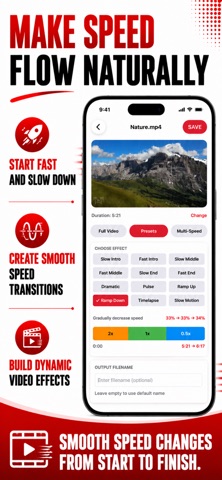
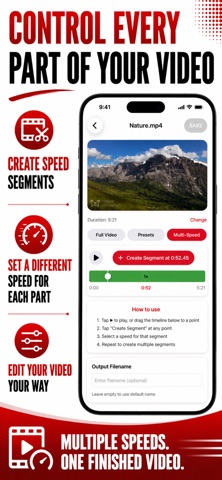
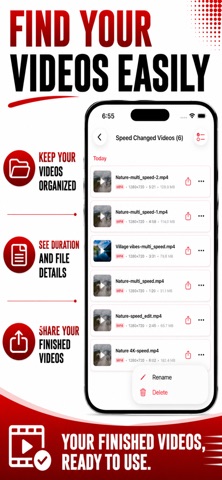
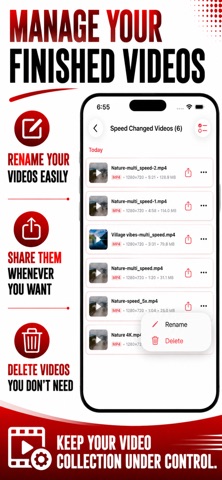
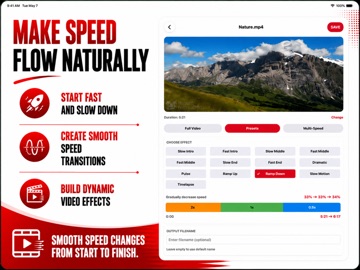
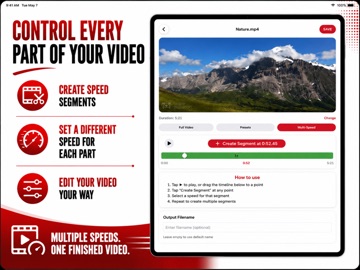
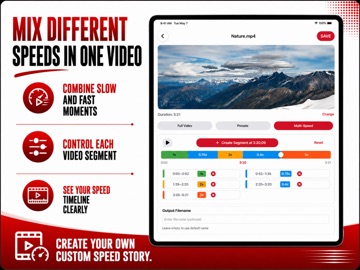
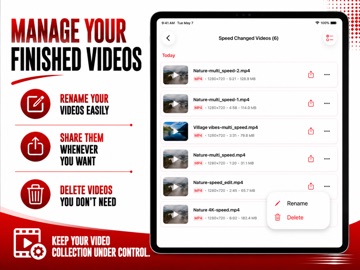
Change video speed from 0.1x all the way to 8x, right on your iPhone or iPad. Video Speed Editor is a fast, offline video speed changer and video speed controller in one — increase video speed for time-lapse and fast-forward effects, or decrease it for cinematic slow motion, without uploading a single file anywhere. Whether you want a simple video speed editor slow & fast, or a full video speed changer with segment-level control, this app covers editor, changer, and controller in one. Three ways to change video speed Full Video — apply one speed to the entire clip. Pick from a wide range spanning slow motion (0.1x, 0.2x, 0.3x, 0.4x, 0.5x, 0.75x) to fast motion (1.25x, 1.5x, 1.75x, 2x, 2.5x, 3x, 4x, 5x, 6x, 8x), with the projected output length shown instantly. Presets — twelve ready-made speed-ramp patterns: Slow Intro, Fast Intro, Slow Middle, Fast Middle, Slow End, Fast End, Dramatic, Pulse, Ramp Up, Ramp Down, Timelapse, and Slow Motion. Each one previews on a color-coded timeline before you commit, so you know exactly what you're getting. Custom (Play & Tap) — play the video and tap a speed at any point to start a new segment there, or drag the timeline to a point without playing at all. Slow down the highlight, speed through the boring bits, speed ramp between them. Every segment stays editable and deletable afterward. Built for real workflows • Increase video speed for time-lapse, hyperlapse, and fast-forward summaries • Decrease video speed for slow motion video, sports replay, and dramatic reveals • Multi-segment speed ramp editing — different speeds for different parts of one clip • Color-coded visual timeline with live playhead, so you always see what's changing • Batch-friendly single-file workflow with instant original-to-output duration preview • Optional custom output filename • Hardware-accelerated encoding — most clips process in seconds • Works fully offline; your videos never leave your device • Premium upgrade removes ads Supported formats Import MP4, MOV, MKV, and other common video formats. Audio speed adjusts automatically, so slowed or sped-up clips never sound chipmunked — timing stays natural throughout. Change video speed for • Vloggers and creators making cinematic slow-mo or snappy fast-forward cuts • Sports coaches and analysts reviewing form frame by frame in slow motion • Fitness trainers demonstrating technique in slow motion for clients • Musicians slowing down performance footage to study timing • Anyone turning a long recording into a quick time-lapse or hyperlapse summary Not included: trimming/cutting video, merging clips, or removing audio — use a dedicated tool for those. This app is focused on one thing: changing video speed, accurately and offline. Why choose Video Speed Editor Most "video speed control browser" tools only work in a browser tab and need an internet connection. This is a standalone app that works completely offline, with no account, no cloud upload, and no watermark on your output — whether you think of it as an editor, a changer, or a controller. The Play & Tap custom editor is the most flexible option — build as many speed segments as you need on a color-coded timeline, or drag straight to a point instead of playing through the whole clip. Presets give you the same multi-segment power in one tap, for a slow-motion intro or a dramatic speed ramp without manual editing. How to use Open Video Speed Editor, select a video, choose Full Video, Presets, or Custom, adjust the speed or segments, then tap Save. Your finished video is saved to the Output Files list, ready to review and share. Download Video Speed Editor and change video speed exactly how you need — slow motion, fast forward, or a custom speed ramp — processed privately, offline, on your iPhone or iPad. Terms of Use: https://www.apple.com/legal/internet-services/itunes/dev/stdeula/ Privacy Policy: https://modern-tools-privacy.netlify.app/?id=c3a8e5f2
Audience growth
Ratings growth
Baseline captured. Growth appears after the crawler observes a changed rating count.
Momentum comes from crawler snapshots for the tracked storefront. “Viral growth signal” means unusually fast recent rating gains; it is an indicator, not download data.
Price tracking
Price intelligence
First snapshot captured. The trend line starts after the next crawler price observation.
- First observed Sep 12, 2026 · 5:01 AM Free
Screenshots