About this app
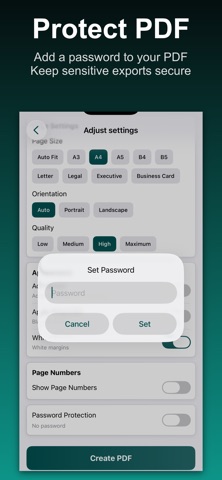
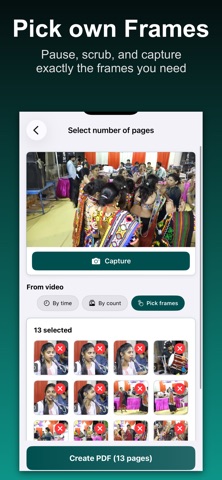
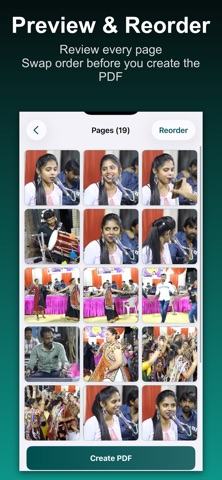
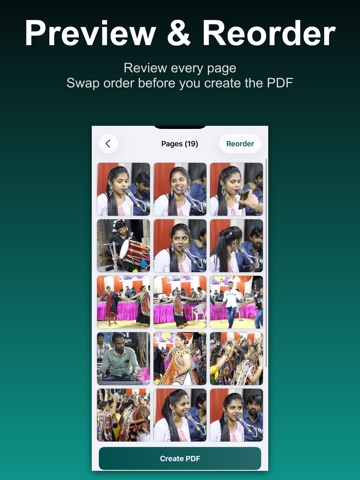
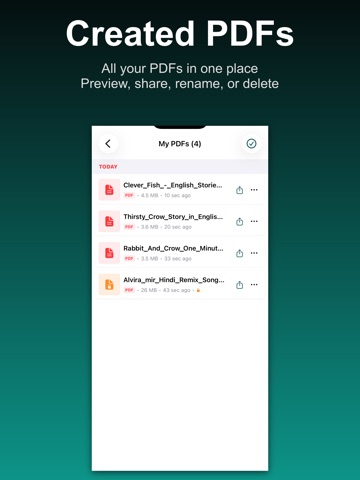
Video to PDF Converter helps you convert video to PDF on iPhone and iPad in a few clear steps. Pick a clip, extract frames from video, turn those stills into PDF pages, reorder them, then export video as PDF with the layout you want. If you searched for video to pdf, convert video to pdf, or a dependable video to pdf converter, this app is built for that exact job. Make pdf from video without uploading files to the cloud. Processing runs on your device for privacy, speed, and reliable results when you need a video pdf maker on the go. Turn video into pdf from screen recordings, lectures, tutorials, presentations, or any clip you want saved as a document from video. THREE WAYS TO BUILD PDF PAGES • Time interval — extract frames from video to pdf on a schedule across the clip • Frame count — spread captures evenly to create a multi page pdf from video • Manual capture — pause, scrub, and screenshot video to pdf at exact frames Each mode is a practical video page extractor: capture stills from video to pdf pages you care about, then refine the story before you create pdf from video. REVIEW, REORDER, AND CREATE After extraction, preview every frame in the pages grid. Reorder pdf pages with a simple swap flow so your final file reads in the right sequence. Set PDF options and build one polished pdf from video file output. PDF SETTINGS YOU CONTROL • Page sizes including A4, Letter, Legal, A3, A5, and more • Portrait, landscape, or auto orientation • Fit, fill, or stretch scaling for each page image • Image quality from efficient to maximum detail • White margins, optional borders, and black and white mode • Page numbers with left, center, or right placement • Password protection for sensitive exports • Custom file names for easy organization MY PDFS LIBRARY Every export lands in My PDFs with date grouping, preview, share, rename, and delete. Open password protected files with the unlock prompt. Multi select helps you clean up older lecture video to pdf or tutorial video to pdf projects. PERFECT FOR • Students turning lecture video to pdf notes they can read and annotate • Professionals saving presentation video to pdf handouts for meetings • Creators documenting tutorial video to pdf walkthroughs • Anyone who needs video frames to pdf instead of dozens of loose photos • Teams sharing mp4 to pdf or mov to pdf exports from recorded demos • Users who want save video frames as pdf on mobile without desktop tools WHY CHOOSE THIS APP A focused video to pdf converter without extra complexity. No account is required for core conversion. Select video, extract pages, adjust order, set PDF options, and save. Whether your goal is export video as pdf for archiving or a quick convert mp4 to pdf iphone workflow, you get one shareable document. Unlike a basic images to pdf tool, you start from motion. Video file to pdf work begins with choosing the right frames, which makes this a stronger video to pdf pages solution for timelines, how to content, and long recordings. PRIVACY AND PERFORMANCE Your media stays on device during extraction and PDF generation. No cloud queue and no remote upload. Fast processing helps when you batch many frames from longer clips. SUBSCRIPTION Go Premium to remove ads and enjoy uninterrupted sessions. Free users keep full access to core extraction modes, PDF creation, and the My PDFs library. HOW IT WORKS 1. Select a video from your library 2. Choose interval, frame count, or manual frame capture 3. Extract and review pages in the grid 4. Reorder pdf pages if needed 5. Set page size, quality, margins, and optional password 6. Create PDF and manage it in My PDFs Download Video to PDF Converter today to convert video to pdf, build video frames to pdf documents, and keep exports organized on iOS. Terms of Use: https://www.apple.com/legal/internet-services/itunes/dev/stdeula/ Privacy Policy: https://modern-tools-privacy.netlify.app/?id=a4e8f2c7
Audience growth
Ratings growth
Baseline captured. Growth appears after the crawler observes a changed rating count.
Momentum comes from crawler snapshots for the tracked storefront. “Viral growth signal” means unusually fast recent rating gains; it is an indicator, not download data.
Price tracking
Price intelligence
First snapshot captured. The trend line starts after the next crawler price observation.
- First observed Sep 12, 2026 · 5:01 AM Free
Screenshots