About this app
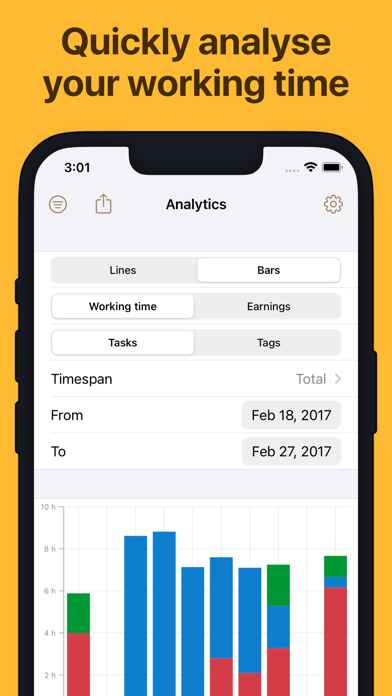
Track work time, organize your hours, export timesheets, and support billing without a subscription. WorkingHours is built for freelancers, hourly workers, employees, contractors, consultants, and anyone who wants a clear personal work log. Start a timer when work begins, pause for breaks, and stop when you are done. If you forget, you can add or edit entries manually, correct details later, and let WorkingHours split sessions that run across midnight. Keep every work hour organized: • Assign time to tasks or projects • Add tags, notes, and descriptions • Track breaks, overtime, hourly rates, earnings, and fixed fees • Use tag rules to adjust work time or earnings • Search and filter your work entries quickly Turn tracked time into useful reports. View charts for duration or revenue, compare work patterns, and prepare clean records for clients, managers, or your own planning. Export your timesheet data when you need it: • Export to Excel or CSV • Customize export columns • Group exports by day, week, month, task, or tag • Create PDF invoices from WorkingHours data via SubTotal WorkingHours also helps you capture time with less friction. Use widgets, notifications, geofencing, NFC tags, and Pomodoro focus sessions to start, stop, or structure your workday more easily. Calendar integration lets you view appointments and turn them into tracked work time. Your data can move with you. Optional sync uses your own supported cloud storage, including iCloud, OneDrive, Google Drive, Dropbox, or WebDAV. No WorkingHours account or registration is required, and you can continue tracking across supported phone, tablet, laptop, and desktop versions. WorkingHours is free to use. Some advanced features require WorkingHours Pro, which you can test with a 7-day trial. Pro is a one-time purchase linked to your Apple ID and unlocks Pro access for iOS/iPadOS. A separate Pro purchase may be required on other platforms.
Latest release
What’s New
• New Pro feature: Start, pause and stop your timer from Apple Watch, with quick task selection. • New Pro feature: Use Shortcuts automations with WorkingHours (iOS 26+). • Several small bugfixes and improvements.
Audience growth
Ratings growth
Baseline captured. Growth appears after the crawler observes a changed rating count.
Momentum comes from crawler snapshots for the tracked storefront. “Viral growth signal” means unusually fast recent rating gains; it is an indicator, not download data.
Price tracking
Price intelligence
- First observed Aug 13, 2026 · 4:42 AM Free
Screenshots