About this app
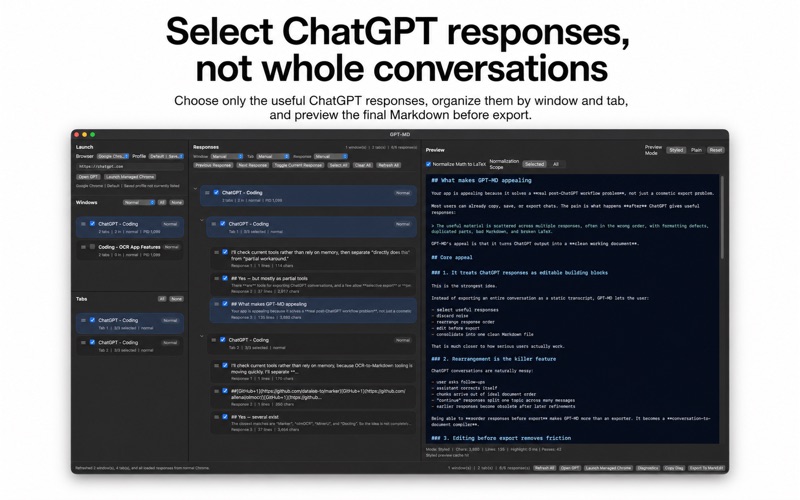
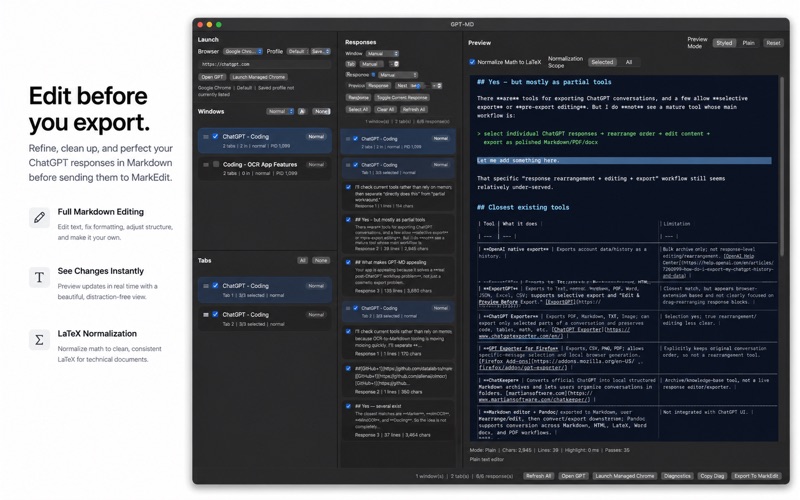
GPT-MD is a native macOS app for turning selected ChatGPT responses into clean Markdown. Instead of copying whole conversations, GPT-MD lets you choose the responses you actually want, rearrange them into the right order, edit the generated Markdown, preview the result, and export it into your local writing workflow. It is built for users who rely on ChatGPT for serious work: study notes, technical drafts, research summaries, long-form writing, coding explanations, and any workflow where useful answers need to become a structured document rather than remain scattered across a browser tab. GPT-MD reads supported ChatGPT tabs from Google Chrome on your Mac. Responses are shown by window and tab, so you can select individual outputs, remove noise, reorder material, and assemble a cleaner document before export. The built-in Markdown preview helps you check headings, lists, tables, code blocks, quoted text, and general document structure before you send the file onward. You can also edit the generated Markdown directly inside the app, so corrections can be made before export rather than after. For math-heavy content, GPT-MD includes LaTeX normalization to help clean mathematical notation into Markdown-friendly form. This is useful for academic notes, technical writing, and study material where symbols and equations need to remain readable after export. GPT-MD is designed as a focused Mac utility. It does not require a Chrome extension or a GPT-MD cloud account. It works with your local Chrome session and exports into a local Markdown workflow. Requirements: GPT-MD works with ChatGPT open in Google Chrome. You must be signed in to ChatGPT in Chrome, and the target ChatGPT tab must already be open. macOS Automation permission is required so GPT-MD can read supported Chrome tabs. For the standard Chrome path, Chrome may also need Allow JavaScript from Apple Events enabled. MarkEdit should be installed for the intended export workflow. GPT-MD is an independent app and is not affiliated with OpenAI, ChatGPT, Google, Apple, Google Chrome, or MarkEdit.
Latest release
What’s New
Corrected launch behavior. Chrome windows and tabs will be fetched properly now.
Audience growth
Ratings growth
Baseline captured. Growth appears after the crawler observes a changed rating count.
Momentum comes from crawler snapshots for the tracked storefront. “Viral growth signal” means unusually fast recent rating gains; it is an indicator, not download data.
Price tracking
Price intelligence
First snapshot captured. The trend line starts after the next crawler price observation.
- First observed Aug 1, 2026 · 1:31 PM $9.99
Screenshots