About this app
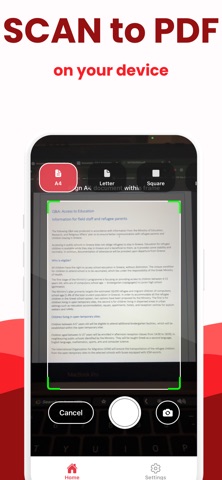
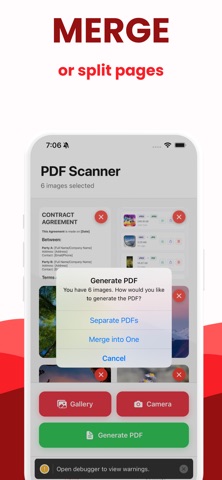
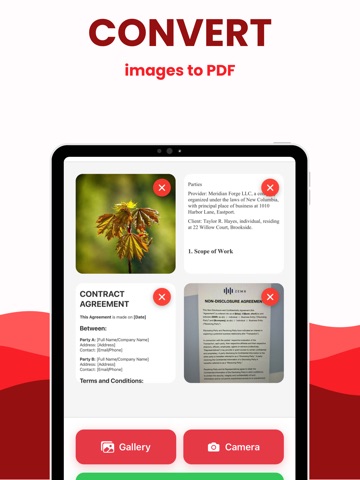
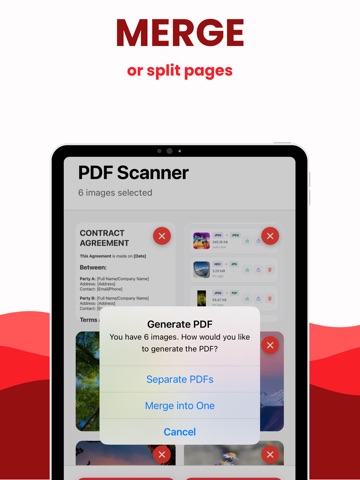
Turn photos and documents into professional PDFs in seconds. Scan with your camera or import from your gallery, then instantly create clean, multi-page PDFs you can save or share anywhere. Fast, simple, and completely offline. Features • Scan with Camera Capture documents with automatic edges and frame guides for accurate results. • Import from Gallery Choose one or multiple photos at once to build a multi-page PDF. • Instant PDF Creation Generate high-quality PDFs with clean formatting and consistent readability. • Output Quality Options Select standard or high-quality PDF export depending on your needs. • Share Anywhere Save to Files, Mail, Messages, or any other app that supports PDF sharing. • Works Offline Scanning and PDF creation happen fully on your device for privacy and speed. Why Users Choose Scanner to PDF • Fast and focused A clean interface built for quick scanning and converting without distractions. • Reliable results Consistent output that delivers readable, professional PDFs every time. • Private by design No accounts, servers, or data uploads. Everything stays on your device. Premium Free: Create 1 PDF to try the app. Premium: Unlock unlimited PDF conversions. You can manage your subscription at any time in the app. Support and Policies Terms of Use: https://docs.google.com/document/d/1zXoFHP6bVAXPdFLQ6GF2ktyNz1ETQVQc699_g9pZBNM/edit?usp=sharing Privacy Policy: https://www.termsfeed.com/live/dc976bb2-684b-4a83-b135-f5e303e3c060 Support: appsoverflowdev@gmail.com
Latest release
What’s New
1.0.2: fixed bugs
Audience growth
Ratings growth
Baseline captured. Growth appears after the crawler observes a changed rating count.
Momentum comes from crawler snapshots for the tracked storefront. “Viral growth signal” means unusually fast recent rating gains; it is an indicator, not download data.
Price tracking
Price intelligence
First snapshot captured. The trend line starts after the next crawler price observation.
- First observed Aug 16, 2026 · 4:05 PM Free
Screenshots