About this app
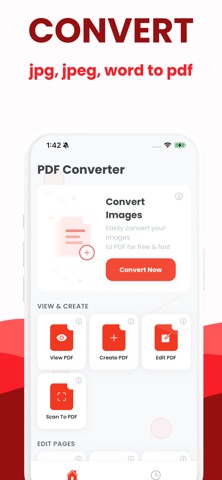
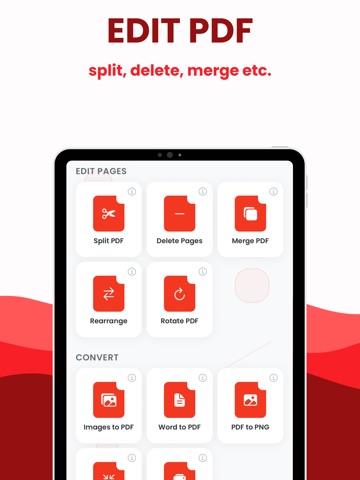
PDF Converter turns any document or photo into a clean, shareable PDF in seconds. Scan with your camera or import files, then convert, merge, sign, compress, and share instantly. Keep every document organized, searchable, and ready to send. Key features: One-tap PDF conversion: photos, Word, Excel, PowerPoint, images, Notes exports Camera scanner: auto-crop, edge detection, perspective fix, clear text output Merge & reorder: combine pages or multiple files into one PDF Sign & fill: add signatures and text fields to forms and contracts Compress & optimize: reduce file size while keeping clarity OCR search: extract and search text from scans (if supported on device) Secure share: email, cloud drives, messaging, AirDrop; optional passcode/Face ID lock File management: folders, tags, quick search, offline access No desktop required: finish your paperwork on the go Why it’s better: Fast, reliable conversions that preserve layout and quality Clean workflow: scan, sign, send without switching apps Designed for privacy: on-device processing where possible Best for: Work: invoices, receipts, contracts, reports School: notes, handouts, assignments Personal: IDs, forms, warranties, travel documents Privacy Policy: https://www.termsfeed.com/live/dacd49d7-c553-468e-84f7-4c020e328d98 Terms of Use: https://docs.google.com/document/d/1MK8BjgST3Xt1u3SvsXM3c6lZ84WlFA63dJijShr2WLc/edit?usp=sharing
Latest release
What’s New
1.0.2: fixed bugs
Audience growth
Ratings growth
Baseline captured. Growth appears after the crawler observes a changed rating count.
Momentum comes from crawler snapshots for the tracked storefront. “Viral growth signal” means unusually fast recent rating gains; it is an indicator, not download data.
Price tracking
Price intelligence
First snapshot captured. The trend line starts after the next crawler price observation.
- First observed Aug 16, 2026 · 4:05 PM Free
Screenshots