About this app
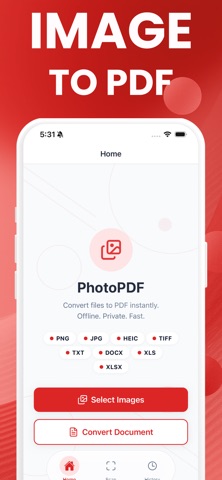
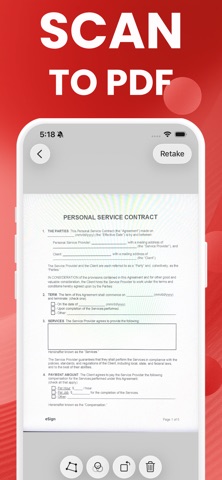
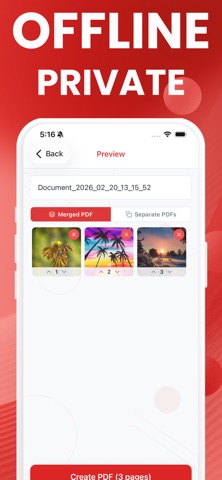
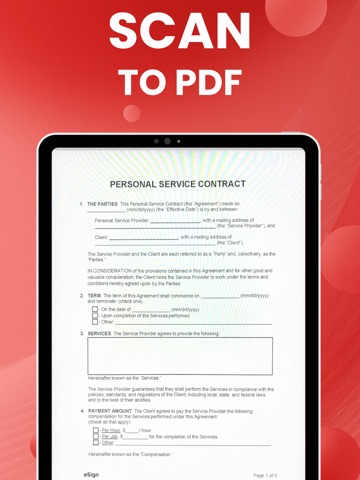
Image to PDF is the fastest way to convert photos, documents, and scanned pages into clean PDF files directly on your iPhone. No internet connection required. No uploads. No accounts. Everything happens on your device, privately and instantly. Whether you need to turn a JPG to PDF, convert a PNG to PDF, or transform an entire stack of photos into a single professional document, Image to PDF handles it in seconds. CONVERT IMAGES AND DOCUMENTS TO PDF Supported formats include PNG, JPG, JPEG, HEIC, TIFF, TXT, DOCX, XLS, and XLSX. Pick a photo from your library, import a file from anywhere on your device, or scan a physical document with your camera. Every format converts to a properly formatted PDF without compression artifacts or layout problems. All conversions are processed entirely offline, on your device. Your files never leave your phone. MERGE OR SEPARATE Select multiple images and merge them into a single PDF with every photo as a separate page, or create individual PDF files from each image in one step. Reorder pages before you convert, remove images you do not want, and name each file exactly how you want it to appear. BUILT IN DOCUMENT SCANNER Point your camera at any receipt, contract, form, or handwritten note. The built in scanner detects the document edges automatically, corrects perspective, and delivers a sharp, clean result ready to save as PDF. COMPLETE HISTORY Every PDF you create is saved automatically with a preview thumbnail, page count, file size, and creation date. Share any file instantly through AirDrop, Mail, Messages, or any app that accepts PDF. Delete files you no longer need with a single tap. YOUR PRIVACY IS THE FOUNDATION Most PDF converter apps upload your documents to remote servers to process them. Image to PDF converts everything locally using the processing power already in your iPhone. No account is required. No cloud storage is involved. No analytics track what files you create. Your photos and documents are yours alone. DESIGNED FOR SPEED Open the app, select your images, tap convert. A standard PDF from multiple photos is ready in a few seconds. The interface stays out of the way so you can get the file you need and move on. WHO USES IMAGE TO PDF Students converting assignment photos to PDF for submission. Freelancers scanning signed contracts and sending them to clients. Office workers turning spreadsheets and word documents into universally readable PDF files. Travelers digitizing paper documents without relying on a Wi-Fi connection. Anyone who needs a fast, private, offline PDF converter that simply works. If you have been searching for a JPG to PDF converter, a HEIC to PDF tool, a way to convert Word to PDF offline, or a reliable photo to PDF maker that does not require a subscription just to open it, Image to PDF is the right choice. PREMIUM Upgrade to Premium for unlimited conversions. The free version includes several conversions so you can verify the quality and workflow fits your needs before upgrading. Privacy Policy: https://www.termsfeed.com/live/5b49cbcd-d5f3-476e-a086-4e855fadbffb Terms of Use: https://docs.google.com/document/d/1e6aIEyGErnFfhcrVXfygvRWzTkaJFXicR7Jszd4L4q0/edit?usp=sharing
Latest release
What’s New
1.0.4 - Image to PDF is more efficient now
Audience growth
Ratings growth
Baseline captured. Growth appears after the crawler observes a changed rating count.
Momentum comes from crawler snapshots for the tracked storefront. “Viral growth signal” means unusually fast recent rating gains; it is an indicator, not download data.
Price tracking
Price intelligence
First snapshot captured. The trend line starts after the next crawler price observation.
- First observed Aug 16, 2026 · 4:05 PM Free
Screenshots