About this app
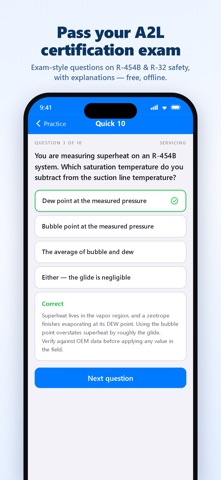
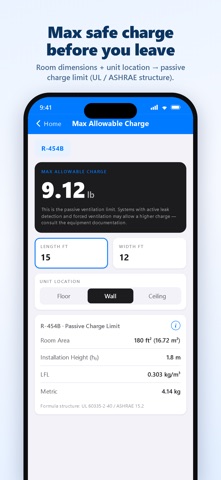
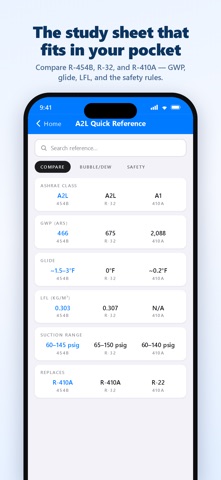
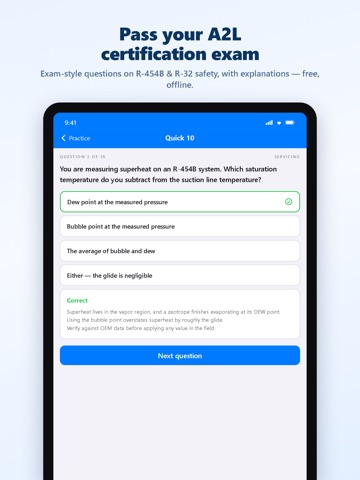
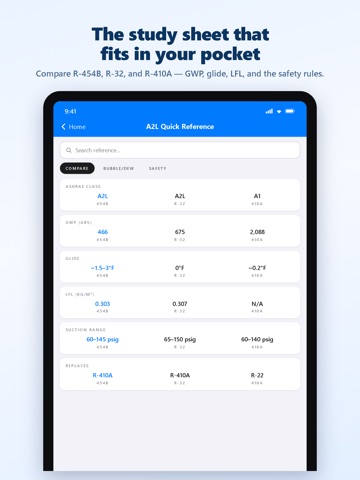
Getting your A2L certification? Practice with exam-style questions on R-454B and R-32 safety, then keep the field tools you'll use once you're carrying the card. Many distributors and manufacturers now ask for an A2L / Low GWP refrigerant safety card before they'll sell you equipment. This app is the study half and the gauge half in one download — free, offline, no account. PRACTICE MODE • 300+ original questions across 11 topics: A2L characteristics and ASHRAE 34 classes, flammability metrics and GWP, codes and regulations, A2L tools, handling and transport, leak detection and mitigation, recovery and evacuation, servicing and charging, installation and charge limits, emergency procedures, retrofit and transition • Quick 10, single-topic drills, and a 50-question mock exam with an optional 35-minute timer • Every answer comes with an explanation. Math questions are solved by the same engine as the calculators, so the numbers are correct by construction • Score by topic, review every miss, and track your accuracy over time — all stored on your phone • Above / below 70% shown for orientation; your test provider's passing score governs WHO IT'S FOR Technicians sitting a Low GWP / A2L safety exam (closed-book and open-book formats cover the same material), HVACR program students, and contractors whose distributor now asks for the card. FIELD TOOLS YOU KEEP AFTER THE EXAM • Superheat and subcooling for R-454B, R-32, and R-410A — dew point for superheat and bubble point for subcooling on R-454B, applied automatically • Enter your OEM nameplate target and see how your reading compares • Max Allowable Charge — nameplate check against the room's passive limit with a clear Within / Exceeds result, margin, and m1 / m2 / m3 charge tier; optional active-mitigation limit • A2L quick reference — refrigerant comparison, bubble/dew explainer, safety rules • Job history and one-page PDF job tickets with your company branding and an optional GPS stamp BUILT FOR THE FIELD No account, no login, no signal required. Everything works in a basement or a mechanical room with zero bars. Dark mode. Your job data and practice progress stay on your phone. FREE Every feature is included. A small banner keeps it free, and Practice mode offers optional rewarded video ads you can choose to watch to unlock extra mock exams — never required. No subscriptions, no paywalls. SOURCES PT data: NIST REFPROP 10.0 via National Refrigerants (R-454B), Daikin / Hudson Technologies (R-32), National Refrigerants Reference Guide (R-410A). Max charge formula structure: UL 60335-2-40 / ASHRAE 15.2. Independent study tool. Not affiliated with, endorsed by, or approved by ESCO Institute, Mainstream Engineering, the U.S. EPA, or any certifying body. All practice questions are original material. Calculators assist licensed technicians; every result carries a disclaimer, and the OEM data plate and local code govern.
Latest release
What’s New
Stability improvements. After you pass a practice session or export a report, you may see a request to rate the app. Ratings help other technicians find it.
Audience growth
Ratings growth
Momentum comes from crawler snapshots for the tracked storefront. “Viral growth signal” means unusually fast recent rating gains; it is an indicator, not download data.
Price tracking
Price intelligence
- First observed Aug 11, 2026 · 7:22 AM Free
Screenshots