About this app
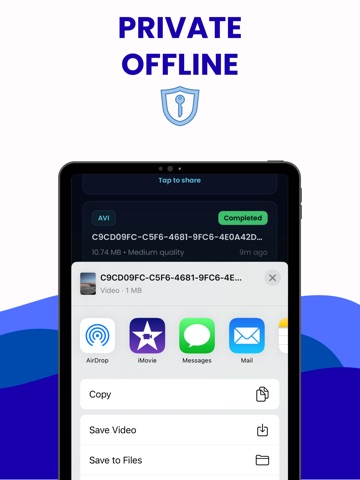
Video Converter is the fastest and most private way to change video formats on iPhone and iPad. Convert MP4 to MOV, MOV to AVI, MKV to MP4, and more in seconds, without uploading a single file to any server. Everything happens on your device. Your videos never leave your hands. CONVERT ANY FORMAT Video Converter supports all major video formats: MP4, MOV, AVI, MKV, and 3GP. Whether you are preparing a clip for YouTube, Instagram, WhatsApp, a desktop player, or an older device, you will find the right format here. If a video does not play somewhere, Video Converter fixes that in two taps. CONTROL YOUR QUALITY Three quality presets let you decide exactly how your output looks and how big it is. Choose Low for fast sharing over chat apps, Medium for balanced social media uploads, or High when every pixel counts. The choice is yours every single time. PICK FROM GALLERY OR FILES Import any video from your iPhone camera roll or browse directly inside the Files app. There is no complicated setup and no account required. Pick a video, choose a format, tap Convert. SHARE INSTANTLY The moment conversion finishes, share the file using the native iOS share sheet. Send it over AirDrop, iMessage, WhatsApp, email, or save it back to your photo library. No extra steps. FULL CONVERSION HISTORY Every job is saved automatically. Come back hours or days later, find any completed conversion, and share it again without redoing the work. The history screen shows the format, quality setting, original file size, and the exact time of conversion. PROFESSIONAL-GRADE ENGINE Video Converter is powered by FFmpeg, the same conversion engine used by studios and developers worldwide. It runs using hardware acceleration on your iPhone, which means conversions that used to take minutes on a desktop finish in a fraction of the time on your device. NO INTERNET REQUIRED Video Converter works completely offline. There is no account to create, no file size limit imposed by a server, and no waiting for an upload to finish. Open the app, convert, done. PRIVACY BY DESIGN Your files are processed entirely on-device using Apple native frameworks. Nothing is transmitted, stored remotely, or shared with third parties. What happens on your iPhone stays on your iPhone. PREMIUM ACCESS Unlock unlimited conversions and full access to high-quality exports with a premium subscription. Free users receive their first conversion at full quality so they can experience the app before deciding. Video Converter is compatible with iPhone and iPad running iOS 16 or later. Privacy Policy: https://www.termsfeed.com/live/e870f4a0-573e-4b32-a70b-7dd1c655b725 Terms of Use: https://docs.google.com/document/d/1DR3jrQVvX-JXOruAbvsTeeGA-lvlhFpMxYggOWPzcho/edit?usp=sharing
Latest release
What’s New
1.0.1 -fixed bugs
Audience growth
Ratings growth
Baseline captured. Growth appears after the crawler observes a changed rating count.
Momentum comes from crawler snapshots for the tracked storefront. “Viral growth signal” means unusually fast recent rating gains; it is an indicator, not download data.
Price tracking
Price intelligence
First snapshot captured. The trend line starts after the next crawler price observation.
- First observed Aug 16, 2026 · 4:05 PM Free
Screenshots