About this app
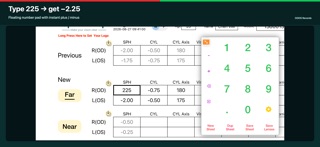
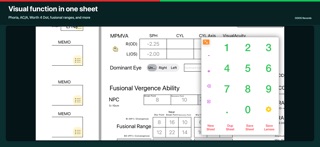
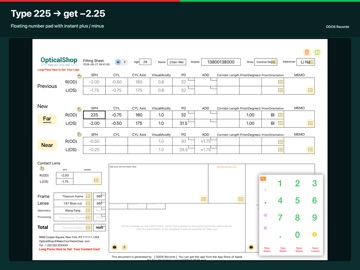
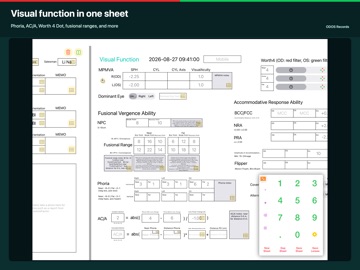
ODOS Records is a professional eyewear fitting-sheet app for opticians, optometrists, and optical shops. Create, search, print, and share prescriptions on iPhone and iPad — with your shop logo on every sheet. QUICK Rx ENTRY Tap a field, then use the floating number pad. Type 225 in SPH and it becomes −2.25 when the field loses focus. Tap + or − to flip the sign. Copy Previous → Far → Near, or copy MPMVA into far/near. COMPLETE FITTING SHEET Record customer name, mobile, frame, lenses, prices, and Rx for previous glasses, distance, near, and contact lenses. Expand the visual-function sheet for phoria, accommodation (BCC/NRA/PRA/AA), flipper, cover tests, AC/A, MPMVA, Worth 4 Dot, fusional ranges (BI/BO), NPC, and notes. SEARCH ANY RECORD Open Settings → Search Record. Fill one or more fields (for example mobile, name, or both). Choose a time interval: last 6 months (default), last year, all dates, or a custom month range. Tap a result to jump to that saved day — the same workflow as Go to Date. YOUR BRANDING Long-press the shop logo or contact card to use your own images. Search results keep the same branding. SAVE, PRINT, SHARE Save Record writes a print-ready image to Photos. Search Photos later by customer name or mobile. Save Lenses stores lens parameters for reuse. New and Duplicate create or copy a sheet in one tap. BUILT FOR THE SHOP FLOOR • Floating number pad you can drag or collapse • Optional external keyboard: hold Tab and press an arrow key to move to the nearest field • UI in 19 languages, or follow the system language • Customize labels in the UI Editor • Optional in-app purchase to remove the advertisement on exported images DATA YOU CONTROL Sheets are stored on the device. Back up the Optometry Settings folder via Finder File Sharing, or use a full iCloud device backup. Restoring is a drag-and-drop of that folder. Support: support@MiniArtSoft.com Website: https://www.miniartsoft.com/optical-records Privacy: https://www.miniartsoft.com/privacy-policy
Latest release
What’s New
• Search Record — fill any field (name, mobile, SPH, and more) to find matching sheets • Time interval — Recent 6 Months (default), Recent 1 Year, Entire Lifetime, or a custom start/end month • Search results keep your shop logo and contact card • Number pad available while browsing search results • UI language can be set in the UI Editor, independent of the iOS language • Customize sheet labels in the UI Editor • Prism orientation presets: BI, BO, BU, BD Built for optical shops on iPhone and iPad.
Audience growth
Ratings growth
Baseline captured. Growth appears after the crawler observes a changed rating count.
Momentum comes from crawler snapshots for the tracked storefront. “Viral growth signal” means unusually fast recent rating gains; it is an indicator, not download data.
Price tracking
Price intelligence
First snapshot captured. The trend line starts after the next crawler price observation.
- First observed Sep 21, 2026 · 2:55 AM Free
Screenshots